
Table of Contents
Key Takeaways
- Content Workflows are now available in Multicollab, allowing teams to manage drafts, reviews, approvals, and publishing directly inside WordPress.
- Role-based permissions and in-editor workflow controls ensure every post follows a clear, structured editorial process without external tools.
- Published content can now be updated safely using Create Version, sending changes through review before merging them live.
- Improved control, stability, and performance, including global real-time collaboration settings, a redesigned dashboard, and multiple bug fixes.
⚡ We just leveled up!
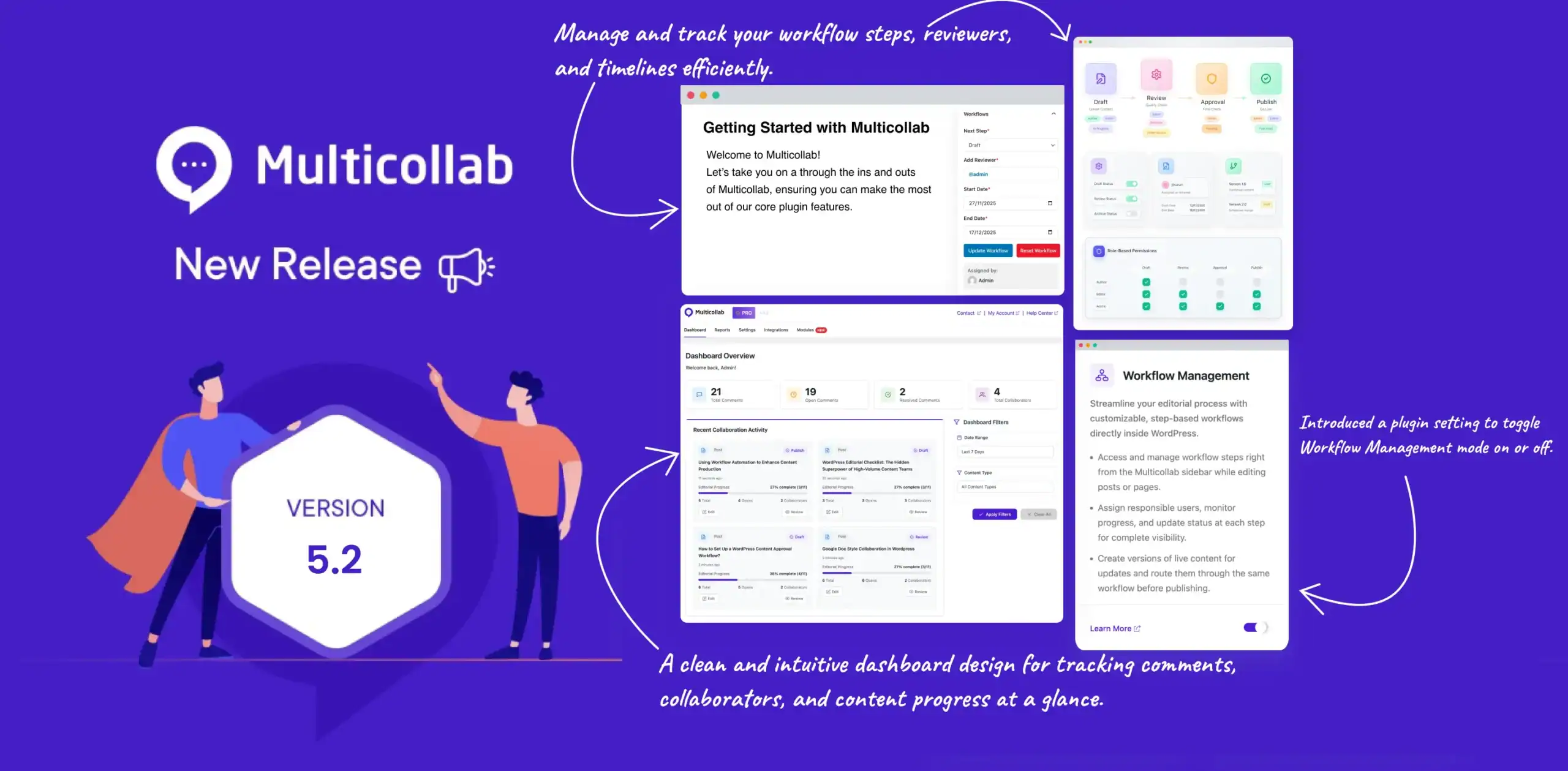
We’re excited to roll out Multicollab 5.2, one of our most impactful releases yet. It is built to bring more structure, clarity, and control to your editorial workflow inside WordPress.
Until now, WordPress content teams relied on scattered checklists, Slack messages, Google Docs, or manual notes to track where a post was in the publishing process.
With Multicollab 5.2 Content Workflows, that changes completely.
This release also includes new global controls for real-time collaboration, a redesigned dashboard, and several performance upgrades to keep your team coordinated and productive.
With Multicollab 5.2, your content process is set to become easier to follow, easier to manage, and easier to scale.
🆕 What’s New in Multicollab 5.2
Content Workflows
One of the biggest challenges for WordPress teams is keeping track of where a post stands and who needs to do what next.
Until now, teams relied on:
- Google Docs or Sheets to track progress
- Long Slack or email threads for approvals
- Manual reminders like “Has anyone reviewed this yet?”
- Guessing who moved something forward
Multicollab 5.2 fixes this entirely.
You can now build a clear, step-by-step editorial workflow inside WordPress, so every writer, editor, and reviewer instantly knows:
- What stage a post is in
- Who needs to take action
- What comes next
- Who has the permission to move it forward
🔎 What is a Content Workflow?
A Content Workflow is the set of steps your content must follow before it is published.
For example:
Draft → Review → Approval → Publish
With Multicollab 5.2, you can fully build, customize, and enforce this workflow inside WordPress itself.
Admins can define the steps, assign permissions, and control who is allowed to move content to the next stage.
This means:
- Writers only move posts to “Draft” or “Review”
- Editors can advance posts to “Approval”
- Leads or managers can mark posts “Publish Ready”
- And no stage gets skipped by accident
With a custom content workflow, every step becomes documented, and traceable.
How Multicollab Content Workflows Work (Step-by-Step)
Multicollab 5.2 brings a complete editorial workflow system directly into WordPress. Here’s how we intend the users to benefit from this feature, from the first draft all the way to publication.

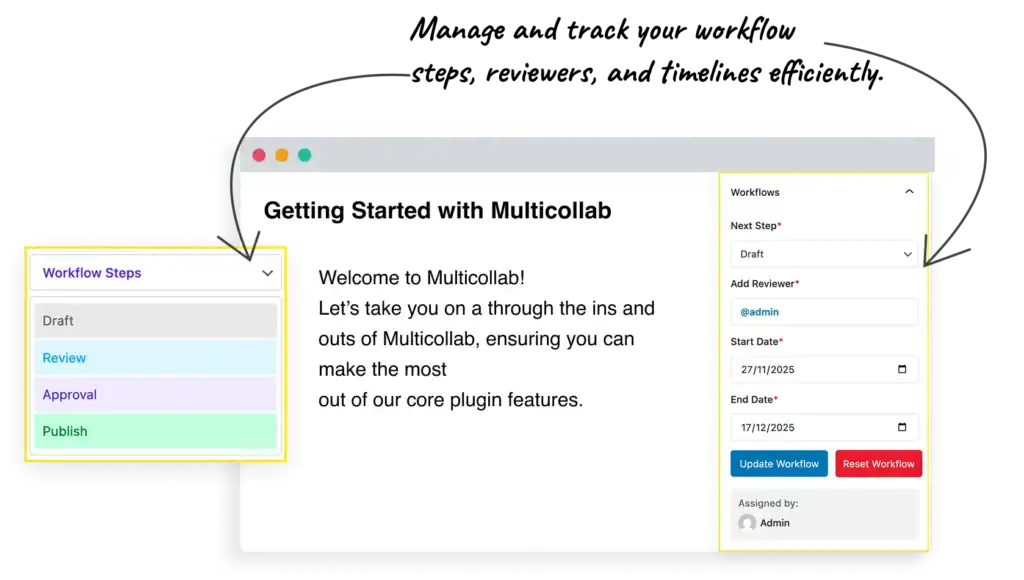
Step 1: Create the Workflow Steps
Admins start by defining the stages a post must go through before it gets published.
A simple example might be: Draft → Review → Approval → Publish
A more advanced team might use: Draft → Editor Review → SEO Review → Legal Check → Final Approval → Publish
Multicollab now lets you create as many steps as you need, rename them, and structure them to match your editorial process.

Step 2: Assign Role-Based Workflow Permissions
For each workflow step, admins choose which user roles are allowed to move a post forward.
For example:
- Authors can move content from Draft → Review
- Editors can move content from Review → Approval
- Team leads or managers can mark a post as Approved or Publish Ready
- Keeps every post on a clear review path
- Ensures only authorized users move content forward
Step 3: Enable or Disable Workflow Steps Anytime
Workflow steps can be turned on or off without deleting them.
This is helpful when:
- You are testing new editorial processes
- A team temporarily removes a step (such as “Legal”)
- You want flexibility without rebuilding workflows from scratch
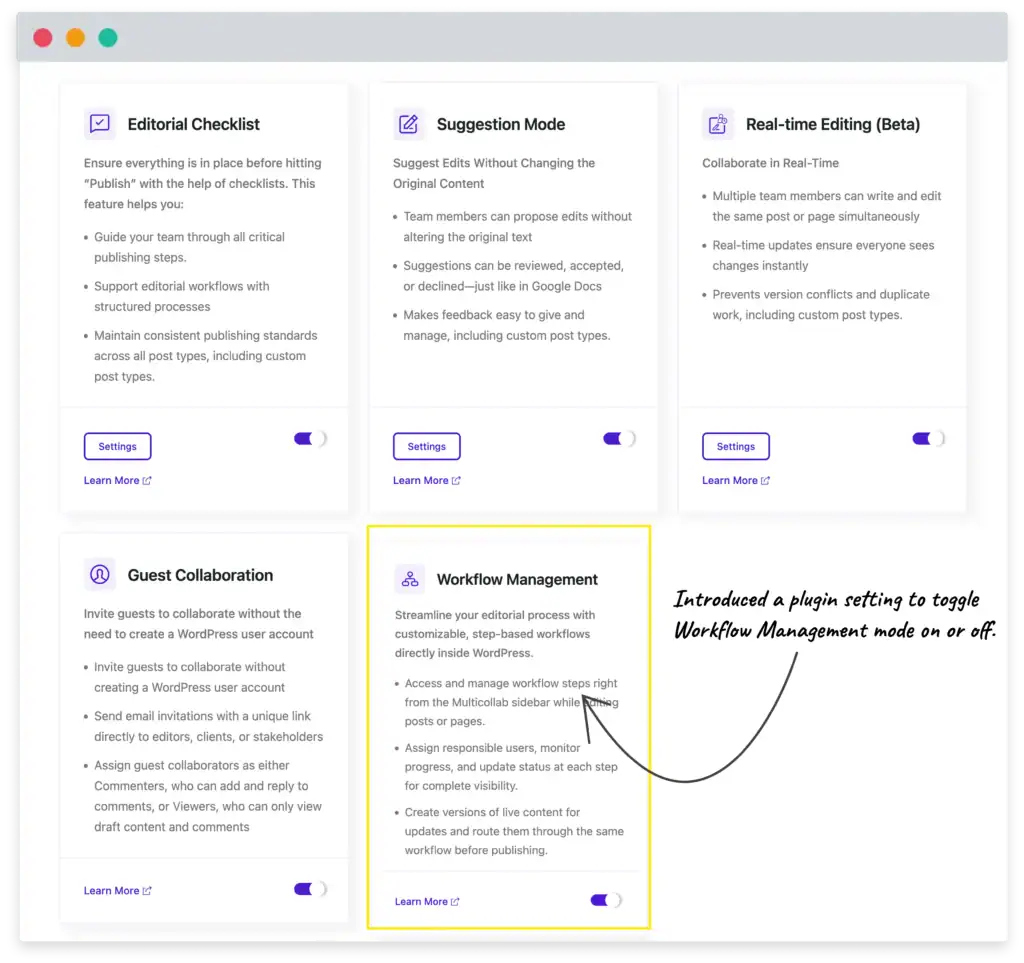
Your workflow stays adaptable while preserving your structure.
Step 4: Update Workflow Status Inside Gutenberg
The workflow is fully integrated into the WordPress editor, so writers and editors never need to leave their workspace.
This keeps the entire review process connected with the content itself.
Step 5: Use “Create Version” for Published Content Updates
When updating live content, Multicollab prevents accidental edits by allowing you to:
- Create a version of the published post
- (Review → Approval → Publish) collaborate on new version using comments, suggestions and workflow (Review → Approval → Publish)
- Merge the changes only when approved
This is ideal when your team is handling SEO refreshes, fixing outdated or incorrect information or improving or expanding evergreen posts.
Your live content stays safe until the updated version passes through the workflow.

Step 6: Track Progress, Responsibilities & Timeline with New Multicollab Dashboard
We’ve redesigned the dashboard with a cleaner, more modern interface. Managing workflows, collaboration settings, and editorial tools is now easier and more intuitive.

Every post includes a clear overview showing:
- The current workflow stage
- Who is assigned to the next step
- A history of changes and approvals
- The full timeline of actions taken
This visibility removes confusion, reduces follow-up messages, and ensures nothing gets stuck in the editorial process. From simple reviews to multi-level approvals, everyone knows exactly what to do next.
✨ Enhancements in Multicollab 5.2
We’ve introduced several improvements to make Multicollab easier to manage and more aligned with the latest WordPress environment.
- Global controls for Real-time collaboration: Admins can now enable or disable real-time editing for all posts, selected posts, or specific categories directly from the Multicollab settings. This makes it easier to control where live editing is allowed, especially for high-value or sensitive content.
- Full compatibility with WordPress 6.9: Multicollab has been updated to work seamlessly with WordPress 6.9, ensuring a stable and consistent editing experience.
- Performance enhancements: The collaboration engine has been optimized for faster loading and smoother performance, especially on sites with many plugins or large posts. Comment loading and multi-user editing now feel more responsive.
🐞 Bug Fixes & Stability Improvements
Along with major workflow upgrades, Multicollab 5.2 includes a series of fixes to make collaboration smoother, faster, and more reliable, especially for teams working with long posts or many plugins.
✔ Better Compatibility
Fixed a conflict with the Spectra plugin that caused Suggestion/Comment Mode notifications to overlap UI elements.
✔ More Accurate Suggestions & Boards
- Corrected an issue where the Suggestion count didn’t update in real time.
- Improved board focus behavior, ensuring your cursor and view shift correctly between suggestion boards.
✔ Faster Performance on Large or Plugin-Heavy Sites
- Reduced lag when loading comments on setups with many active plugins.
- Fixed console errors triggered when adding comments that prevented boards from loading properly.
✔ Cleaner, More Stable UI
- Resolved several design inconsistencies inside the Activity Center.
- Fixed UI flickering on the Editorial Checklist page during refresh.
- Improved alignment in the Share Popup for consistent appearance across devices.
- Fixed partially hidden @mentions when replying from the Activity Center.
✔ More Reliable Real-Time & Suggestion Mode Behavior
- Fixed an issue where Global Suggestions/Real-Time toggle settings reverted after page refresh for certain post types.
- Corrected incorrect block removal suggestions that appeared when deleting text in reverse.
Is Multicollab 5.2 Right for Your Team?
You’ll especially benefit from this update if your team:
- Follows a review or approval process before publishing
- Works with multiple writers, editors, or external reviewers
- Needs clear permissions and accountability at every stage
- Frequently updates published posts and wants a safe way to manage changes
- Manages content across many categories, departments, or large websites
If you checked even one of these boxes, the new Content Workflows in Multicollab 5.2 will make your editorial process significantly smoother.
🚀 Ready to Upgrade?
If you’re already using Multicollab, update to version 5.2 from your WordPress dashboard.
| ⚠️ Reminder: Real-Time Editing Limitations To recap from the previous version release: – Real-time editing and suggestion mode can’t be used together – Real-time collaboration is limited to 5 users on a single post – Two users can’t edit the same block simultaneously |
🗣️👂Your feedback is priority number one! ❤️
- Please suggest new features or improvements.
- Give us a shout on Twitter, Facebook and YouTube.
- Let us know what you love about Multicollab.
If you’re new to Multicollab, get started with our Live Demo and transform how your team collaborates in WordPress.
Frequently Asked Questions (FAQs):
What are Content Workflows in Multicollab?
Content Workflows let you create custom review steps like Draft, Review, or Approval and assign permissions for each stage. Your team can follow a clear process directly inside WordPress.
Can I update published content using workflows in Multicollab?
Yes. With the new Create Version feature, you can make changes to a published post, send the update through your workflow, and merge it only after approval.
How do the global controls for Real-Time Collaboration in Multicollab work?
Admins can enable or disable real-time editing for all posts, selected posts, or specific categories. This gives you more control over where live editing is allowed.
Does Multicollab 5.2 work with WordPress 6.9?
Yes. Version 5.2 is fully compatible with WordPress 6.9 and tested to run smoothly in the latest block editor environment.
Do workflows slow down the editor?
No. Multicollab Workflows are built directly into Gutenberg with lightweight logic, so status updates and assignments function without affecting editor performance.
Can anyone change workflow steps or permissions?
No. Only administrators can create steps, edit permissions, or modify workflow settings.
Do global collaboration controls affect suggestion mode?
Yes. When real-time collaboration is disabled for a post or category, suggestion mode and commenting still work normally.
Is there a limit to how many workflow steps I can create?
No. You can create as many steps as your editorial process requires.
Download a Free Actionable Guide: 45+ Actionable Tips to Optimize Performance for High-Traffic WordPress Websites
Performance Optimization Techniques: Speed up your site with caching, image compression, and code minification.
Hosting and Scalability Suggestions: Learn to choose the right hosting solutions and scale efficiently.
Security and Protection Guidelines: Safeguard your site from DDoS attacks, malware, and performance threats.
Content and Plugin Management Tips: Optimize your database, plugins, and themes for peak performance.