
Table of Contents
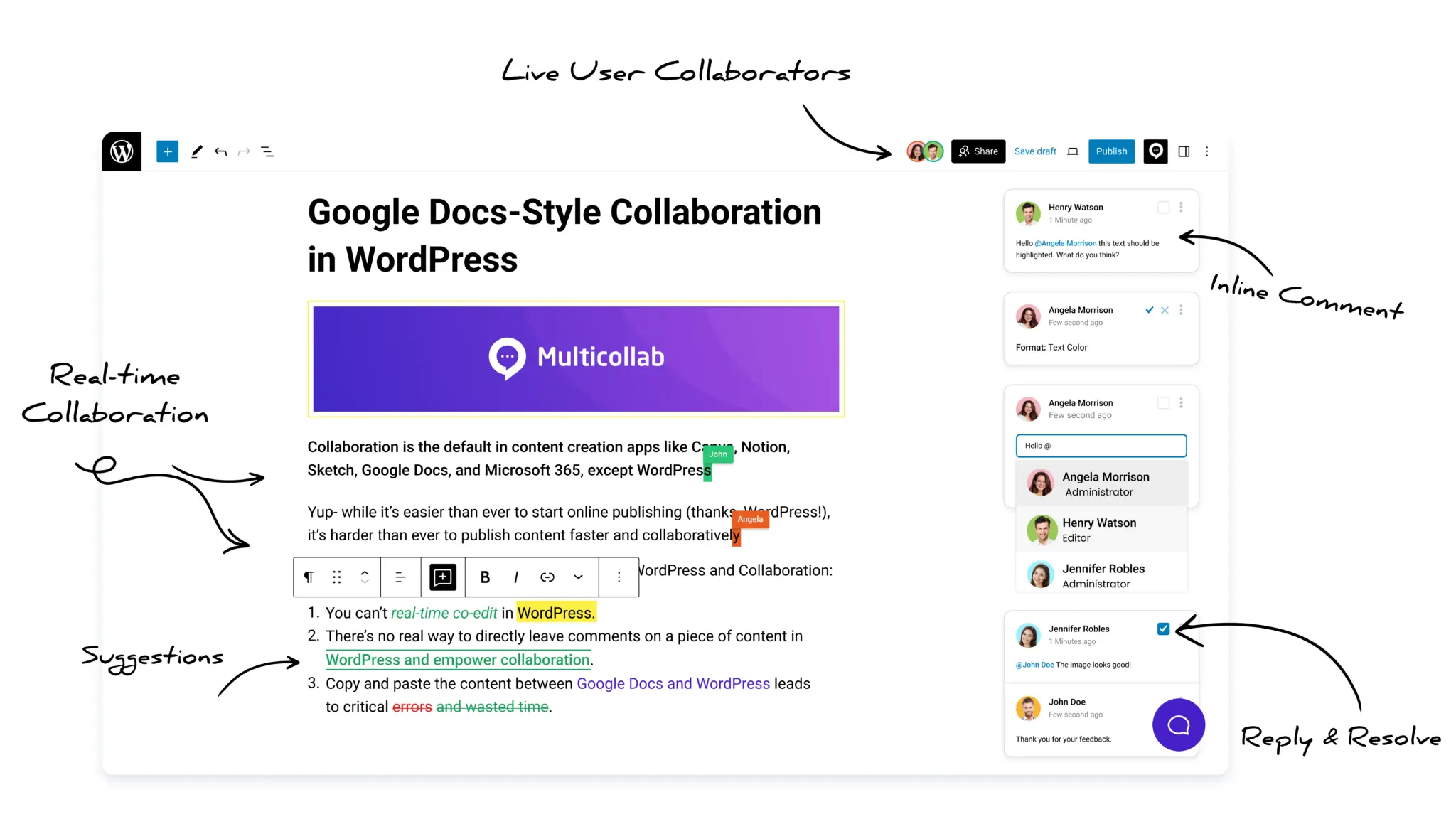
Multicollab is a popular WordPress plugin designed to bring Google Docs-style collaboration and editorial workflows directly into the WordPress Gutenberg block editor.
Key Takeaways
- An editorial workflow is the path content follows from idea to publication; automating it reduces confusion, delays, and repetitive work.
- Signs it’s time to automate: tracking status in spreadsheets, missed deadlines, and editors chasing updates instead of editing.
- Choose tools built for editorial work, with WordPress compatibility, ease of use, and role support.
- Multicollab now offers a full Content Workflows system inside WordPress; Edit Flow and PublishPress remain solid alternatives for statuses and roles.
- Automate the routine parts and keep creative judgment human.
Whether you’re running a lean blog or overseeing a full digital publication, content processes without the right editorial workflow tools can quickly turn chaotic, and team members end up repeating the same manual tasks over and over.
If you’re nodding along, it might be time to automate your editorial workflow in WordPress. This guide covers everything you need to know: what editorial workflow tools to use, when to automate, and how to set it up inside WordPress.
What is an editorial workflow in WordPress?
An editorial workflow is the step-by-step process your content follows from idea to publication. Think of it as your team’s content assembly line. It usually includes:
- Topic ideation
- Writing
- Review and editing
- Approval
- Publishing
- Distribution
Each step may involve multiple team members, writers, editors, publishers, and tools to manage communication and hand-offs. A clear workflow reduces confusion and aligns the team toward shared deadlines and quality standards.
Done manually, these steps lead to confusion, miscommunication, delays, and common editorial workflow bottlenecks. Automated, things run smoother and faster with fewer errors. Everyone knows their role, and work moves forward with fewer touchpoints, so you can scale your editorial workflow.
Why automating your workflow matters
Manual workflows worked when content teams were small. Today, even a small team can produce a high volume of content across multiple platforms, which makes automation critical.
Clear signs it’s time to automate:
- You track content status in spreadsheets or email threads.
- Deadlines are frequently missed.
- Editors spend more time chasing updates than editing.
- Social sharing and publishing are handled manually every time.
- You manage multiple authors or remote contributors.
Automation eliminates bottlenecks and lets teams focus on what they do best: creating and refining great content. You’ll be able to publish more consistently and reduce lag between stages.
Benefits of editorial workflow tools
Still unsure if automation is worth the effort? Let’s look at what it can unlock:
Save time: No more back-and-forth emails or missed handoffs. Content can move from writer to editor to published status with fewer interruptions.
Consistency: Standardize how content moves through your pipeline. Avoid missed steps or miscommunications.
Better collaboration: Assign tasks, add comments, and tag team members automatically.
Fewer mistakes: Automate routine tasks like scheduling, file management, or content tagging to avoid human error.
Scalability: Grow your content efforts without overwhelming your team or introducing chaos.
Automation doesn’t remove people from the process. It frees them for more creative, high-value work.
Map out your current workflow first
Before choosing tools, map your existing process to see where delays and manual work slow you down. Ask:
- How is content currently planned?
- Who reviews and approves it?
- Where do bottlenecks usually happen?
- Which tasks are repetitive and rule-based?
Create a visual flowchart broken into phases: planning, creation, review, approval, publishing, and promotion. List the tools and people at each stage. This becomes your blueprint for where automation helps most.
Choosing the right editorial workflow tools
Not all automation tools are built for editorial work. Many focus on general business tasks like form submissions or CRM updates that don’t help writers or editors much.
What you need are editorial workflow tools designed to manage content pipelines, with calendars, comment threads, approval paths, and task assignments. When picking one, look for:
- WordPress compatibility
- Ease of use for writers and editors
- Editorial-specific features like content status tracking and inline suggestions
- Support for team roles such as Contributor, Editor, SEO Reviewer, or Publisher
Here are the most effective editorial workflow tools content teams use.
1. Multicollab
Multicollab is a popular WordPress plugin designed to bring Google Docs-style collaboration and editorial workflows directly into the WordPress Gutenberg block editor.
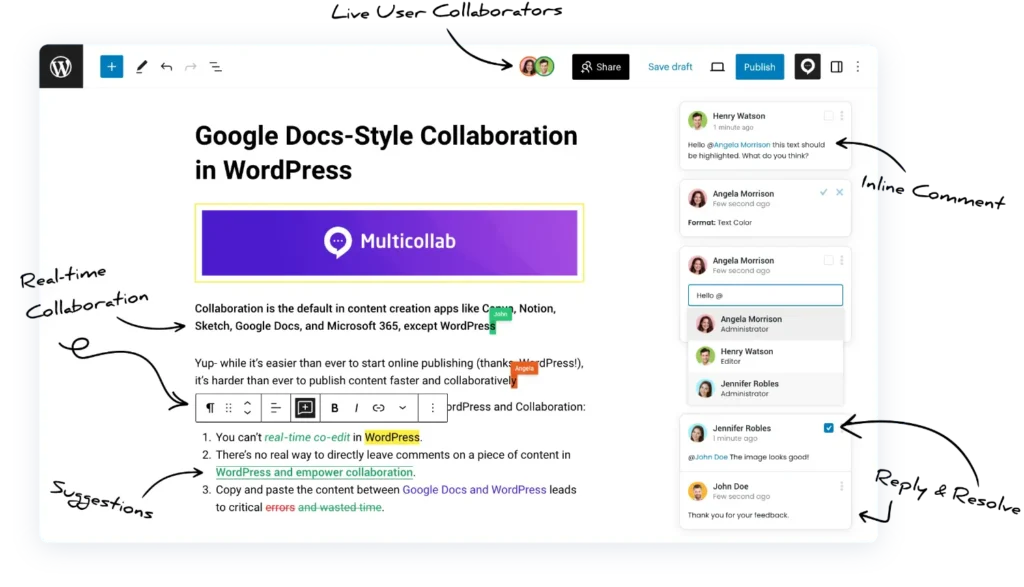
Perfect for teams who want collaboration and a full editorial workflow inside WordPress, with no external tools required.
- Content Workflows: build custom stages like Draft, Review, Approval, and Publish, and enforce them inside WordPress
- Role-based permissions per stage, so only authorized roles can move a post forward
- Inline commenting and suggestion mode for feedback and tracked edits without leaving the editor
- Create Version: update published posts safely by sending changes through review before merging them live
- Email and Slack alerts for pending tasks and mentions
Use Case: Your writer submits a draft and moves it to Review. The editor leaves inline comments and advances it to Approval. A lead marks it Publish Ready, and no stage gets skipped, all inside the WordPress editor.
2. Edit Flow
A classic plugin built for editorial teams.
- Custom editorial statuses (e.g. “Ready for Review,” “Needs Edits”)
- Editorial metadata fields (word count goals, target audience)
- Calendar view for content scheduling
- Editorial comments and notifications
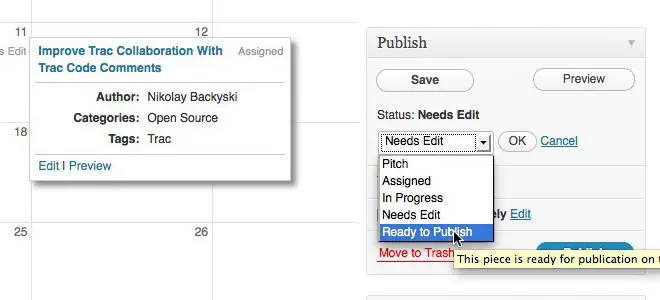
Use Case: Build a visible, shared schedule so the whole team knows what’s in the pipeline.
3. PublishPress
For larger teams with complex roles and review systems.

- Role-based permissions for team control
- Editorial reminders and notifications
- Content checklist and editorial comments
Use Case: Assign custom roles like SEO Editor or Legal Approver and define what each can edit, approve, or schedule. (PublishPress can create custom WordPress roles, which is useful if your team structure goes beyond WordPress’s default roles.)
4. Uncanny Automator
This plugin lets you create “if this, then that” (IFTTT) style automations.
- Automate actions across your stack, no coding required
- Example: when a post is published, send an email to your newsletter list and share to social
- Visual, no-code interface
Use Case: Connect WordPress with Slack, Mailchimp, or HubSpot without leaving the dashboard.
5. WP Webhooks
Best for tech-heavy teams with multiple systems.
- Transfer content data between WordPress and outside platforms
- Works well for enterprise setups or agencies
How to set up automated WordPress editorial workflows (step-by-step)
Step 1: Set up editorial stages and permissions
With Multicollab’s Content Workflows, define the stages a post moves through, such as Draft, Review, Approval, and Publish, and set role-based permissions so only the right roles can advance each stage. Admins control the steps, and you can add, rename, or disable stages as your process changes. Plugins like Edit Flow and PublishPress offer alternative approaches to custom statuses and role rules if you need them.
Step 2: Enable collaborative editing
Use Multicollab to collaborate inside WordPress:
- Writers draft posts directly in WordPress.
- Editors add inline comments and suggestions.
- Writers are notified automatically and revise.
- The post advances through the workflow to publishing.
This replaces the need for external tools like Google Docs.
Step 3: Add checklists and notifications
Use Multicollab’s Editorial Checklist to enforce pre-publish standards (for example: SEO title completed, images added, meta description written). PublishPress is an alternative if you want checklist features alongside its role system. Add reminders so team members are nudged if content sits idle too long.
Step 4: Review and improve
After running the workflow for a few weeks, check how long content sits in each stage, gather feedback from writers and editors, and refine accordingly.
Pro tips to get the most out of automation
Start small: Automate one or two friction points first, like editorial handoffs or status notifications.
Involve your team: Ask what tasks waste their time.
Document workflows: Record each automation and its logic.
Audit quarterly: Review workflows every 3 to 6 months to refine or remove outdated rules.
Stay human: Don’t automate creative judgment. Automation should support quality control, not replace it.
Conclusion
Automating your editorial workflow in WordPress does more than save time. It creates a structured, predictable, and efficient way to manage content, whether you’re a small blog or a global publisher. With the right editorial workflow tools and a clear strategy, your team moves faster, collaborates better, and focuses on quality without the chaos.
Start by identifying one task you can automate today, build a basic workflow, then grow from there. Explore Multicollab for editorial collaboration and workflows, and start a 14-day free trial.
Frequently Asked Questions
What are editorial workflow tools?
Editorial workflow tools are built to manage content pipelines rather than general business tasks. They typically include content calendars, custom statuses, approval paths, inline comments, and task assignments, so content moves cleanly from idea to publish.
How do you automate an editorial workflow in WordPress?
Map your current process first, then set up custom stages and role-based permissions with Multicollab’s Content Workflows, enable collaborative editing and checklists, and add reminders. Review and refine after a few weeks.
What is the best editorial workflow tool for WordPress?
It depends on your needs. Multicollab combines real-time collaboration, inline feedback, and a full Content Workflows system inside WordPress. Edit Flow handles statuses and scheduling, and PublishPress suits larger teams needing custom roles. Many teams combine them.
Does automating an editorial workflow remove the human element?
No. Automation handles routine, rule-based tasks like status changes and notifications. Creative judgment and quality control stay with your team; automation just frees them to focus on that work.
Download a Free Actionable Guide: 45+ Actionable Tips to Optimize Performance for High-Traffic WordPress Websites
Performance Optimization Techniques: Speed up your site with caching, image compression, and code minification.
Hosting and Scalability Suggestions: Learn to choose the right hosting solutions and scale efficiently.
Security and Protection Guidelines: Safeguard your site from DDoS attacks, malware, and performance threats.
Content and Plugin Management Tips: Optimize your database, plugins, and themes for peak performance.