

Table of Contents
Key Takeaways
- The default WordPress comment system is too basic for modern content teams and publishers.
- The right plugin reduces spam, enables structured collaboration, and improves publishing quality.
- Multicollab is the #1 choice for editorial teams, with inline commenting, Suggestion Mode, Content Workflows, Editorial Checklist, and real-time co-editing built directly into Gutenberg.
- Front Inline Comments, built by the same team, is the #1 choice for reader-facing inline engagement on published posts.
- For broader audience engagement, wpDiscuz is a strong option for high-traffic communities.
- For performance-conscious sites, Lazy Load for Comments is a lightweight, conflict-free win.
- Choose based on your site’s audience, team size, collaboration depth, and publishing goals.
Comments are more than just feedback. They build conversations, spark editorial accountability, and create community. But the default WordPress comment system was built for a different era of publishing, without distributed content teams, asynchronous review cycles, editorial feedback or the need for structured editorial governance.
Whatever you need, whether it’s editorial collaboration inside WordPress, in-content reader feedback, or better spam control and performance, there is a plugin built for it.
In this guide, we cover the 10 best WordPress comment plugins for 2026, updated to reflect the latest features, releases, and real-world use cases.
(Two plugins on this list, Multicollab and Front Inline Comments, are built by the same team but solve completely different problems: one is for your editorial team working inside WordPress before a post is published, and the other is for your readers engaging with content after it goes live.)
Why the default WordPress comment system falls short
The native WordPress comment system is clean and functional, but it lacks the depth that modern publishing workflows demand. Here is why most teams and site owners look for alternatives:
- No inline or contextual commenting all feedback lands at the bottom of the post.
- No suggestion tracking or tracked changes for editorial edits.
- No structured editorial workflows (draft → review → approval → publish).
- Limited spam control no native AI filtering or CAPTCHA.
- No social login, upvoting, or community engagement tools.
- No moderation automation or team collaboration features.
By upgrading your comment system, you can improve site speed, reduce spam, enhance discussion quality, and keep users engaged longer.
Top features to look for in a WordPress comment plugin
When selecting a WordPress comment plugin, consider these essential features:
- Inline commenting or in-context commenting (on text, media, or blocks).
- Team collaboration: @mentions, role-based permissions, assignment.
- Editorial workflow management with status tracking.
- Spam prevention and moderation automation.
- Engagement tools: voting, badges, social login, reactions.
- Performance features: lazy loading, AJAX updates.
- SEO-friendly comment storage and structured data.
- WordPress version compatibility (WP 6.8/6.9+).
Top 10 Best WordPress Comment Plugins
1. Multicollab (Best for Editorial Teams)
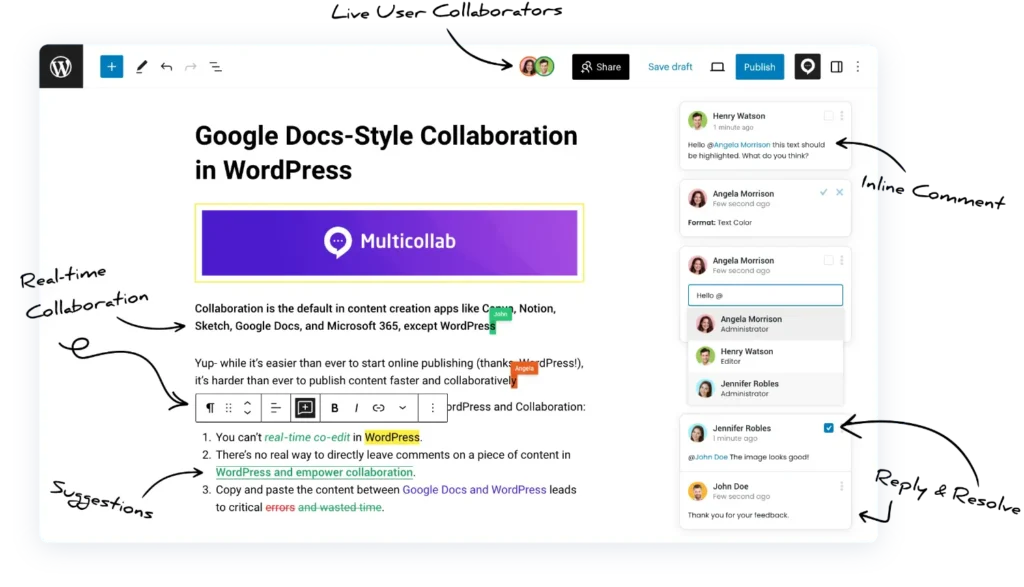
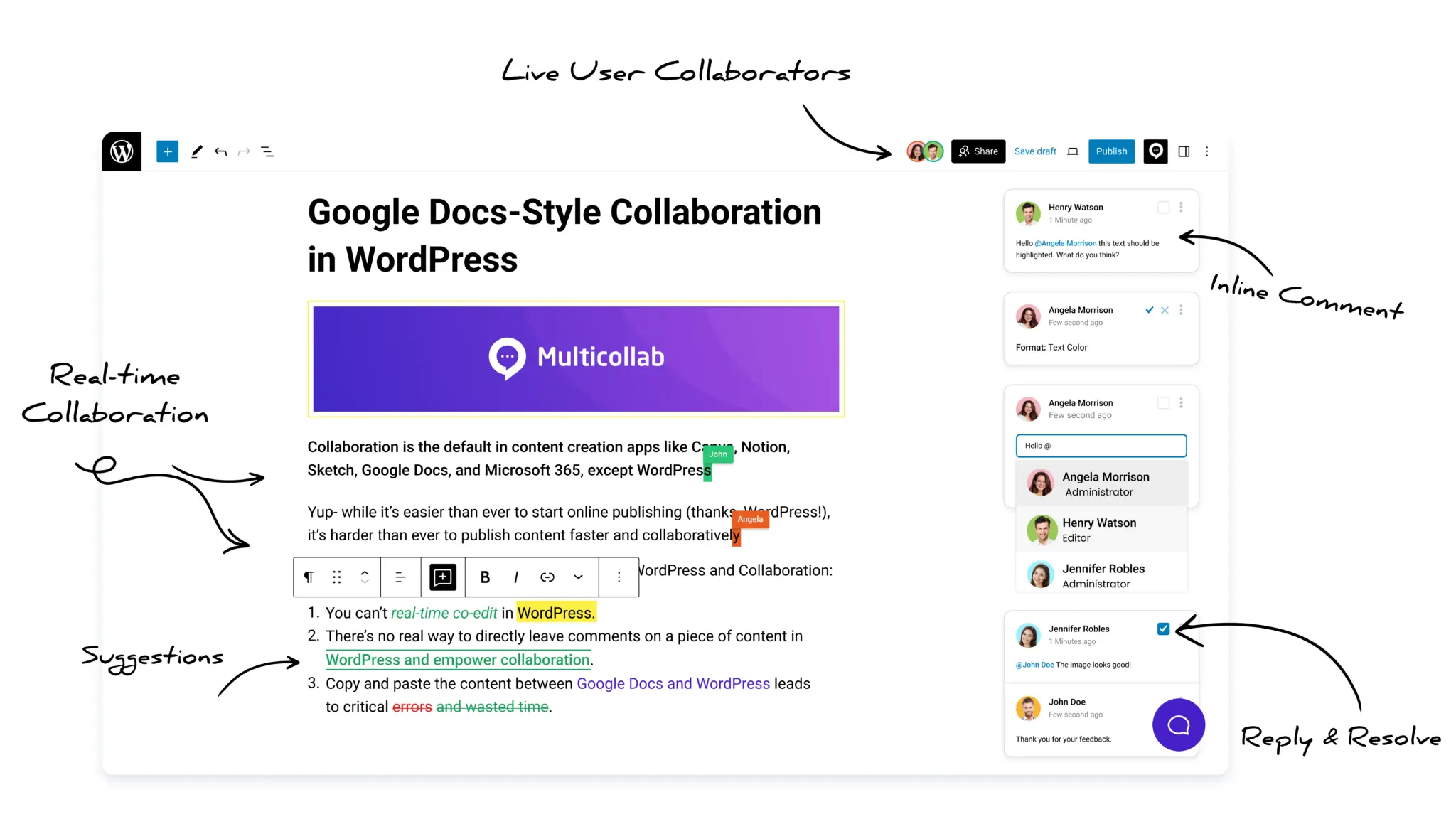
Multicollab is the best commenting plugin for teams that create content inside WordPress. Instead of leaving comments at the bottom of a post, it lets your team comment inline on any block, text, image, or media, directly in the Gutenberg editor, the same way you would in Google Docs.
That solves the problem most content teams have: they draft and comment in Google Docs, then copy everything into WordPress and lose the feedback in the move. Multicollab keeps commenting, reviewing, and approving in the same place the content gets published. Unlike the other plugins on this list, it is built for your team, not your readers, so your site visitors never see it.
Key Features
Best for: Content teams, publishers, agencies, and enterprises that want to stop switching between Google Docs and WordPress and manage the entire editorial process in one place. Your site visitors never see it; it is entirely a backend tool.
Pricing: Lite Plan starts $149/year.
2.Front Inline Comments (Best for reader engagement)
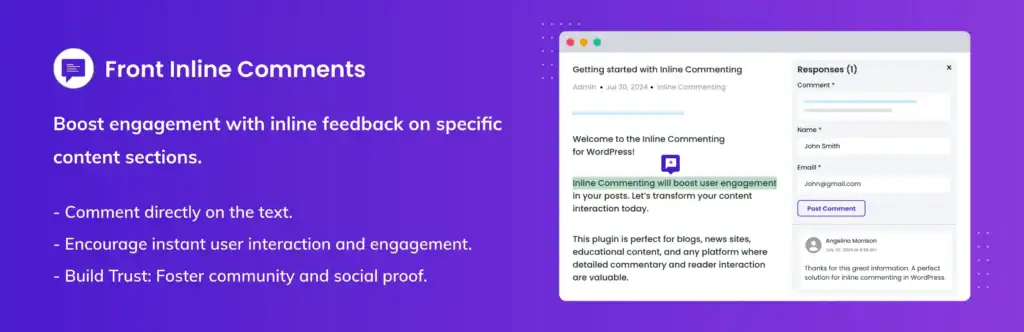
Front Inline Comments lets your readers leave comments directly on specific passages of your published posts. Visitors highlight any sentence or paragraph and drop a comment right there on the page, similar to how Medium’s inline highlighting works.
This plugin and Multicollab are both built by the same team, but they solve entirely different problems. Multicollab operates inside the WordPress backend, used by your editorial team before a post is published. Front Inline Comments operates on the public frontend of your site, used by your readers after a post is published. They target opposite ends of the content lifecycle and can be run together on the same site without conflict.
Key Features
- Highlight-and-comment interface for readers directly on published content
- Contextual, passage-specific discussions rather than a generic bottom-of-page comment thread
- Increases dwell time and on-page engagement signals
- Builds social proof through visible public commentary
- Lightweight and easy to install with no complex configuration
Best for: Bloggers, content teams, media publishers, and content-heavy sites that want readers to engage with specific ideas in the text, not just leave a general comment at the bottom of the page.
Pricing: Free
3. wpDiscuz

wpDiscuz is the most feature-rich public comment replacement for WordPress. It replaces the native comment section with an AJAX-powered, real-time system built for high-traffic communities that need engagement, voting, and media support.
Key Features
- AJAX-powered comment loading with real-time updates
- Upvote/downvote system on comments
- Inline comment prompts and custom comment forms
- Sorting options (newest, oldest, most voted)
- Extensive add-ons: media uploads, private comments, user mentions, subscriptions
- Anti-spam tools built in
Best for: High-traffic blogs and communities that need a fully-featured, customizable commenting platform.
Pricing: Free core plugin. Paid add-ons available.
4. Jetpack Comments
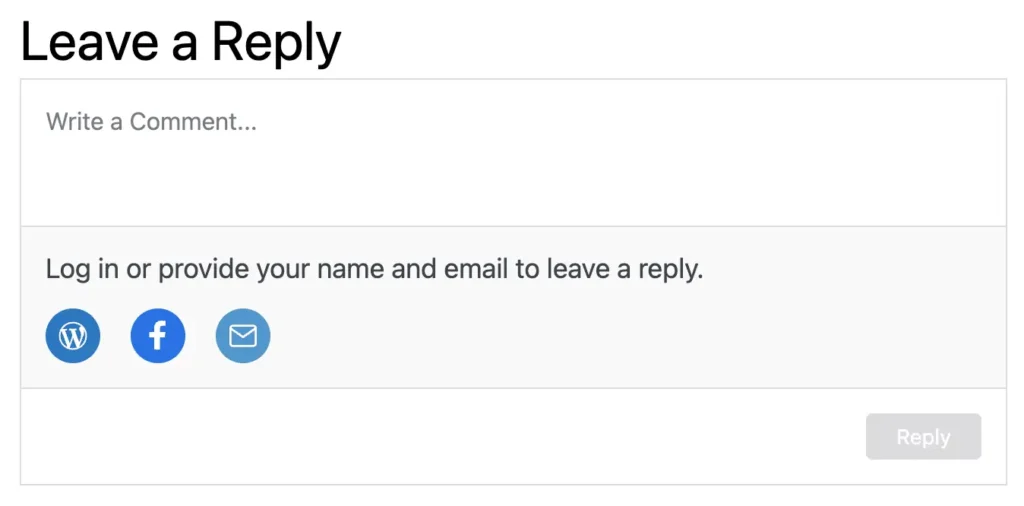
Jetpack Comments is part of Automattic’s all-in-one Jetpack plugin. It replaces the default WordPress comment form with a cleaner, social-login-enabled version, ideal for sites that already use Jetpack and want a zero-friction commenting upgrade.
Key Features
- Trusted and well-maintained by Automattic (WordPress’s parent company)
- Social login: Facebook, Google, WordPress.com
- Clean, mobile-responsive comment UI
- Email reply notifications
Best for: Bloggers and site owners looking for simplicity and integrated features from a trusted developer.
Pricing: Free (included in Jetpack)
5. Thrive Comments

Thrive Comments takes a conversion-focused approach to WordPress comments. Instead of just collecting feedback, it turns your comment section into a lead generation tool, with post-comment redirects, opt-in forms, badges, and upvoting.
Key Features
- Integrates with Thrive Leads for newsletter sign-ups.
- Post-comment action flows: redirect to lead form, thank-you page, or content.
- Comment upvoting and featured comment highlighting.
- Badges and rewards to incentivize engagement.
- Moderation dashboard with bulk actions.
Best for: Marketers, course creators, and bloggers who want to convert commenters into subscribers or leads.
Pricing: Paid (part of Thrive Suite)
6. Disable Comments

Disable Comments is for when the best comment solution is no comment section at all. With over 1 million active installs, it is one of the most trusted tools for removing WordPress’s built-in commenting entirely, globally or by post type.
Key Features
- Disable comments site-wide or by post type (posts, pages, media, etc.)
- Removes comment-related UI from the admin panel.
- Multisite network support.
- WP-CLI and REST API comment blocking.
Best for: Corporate sites, portfolio sites, documentation portals, and any WordPress install that does not need a public comment section.
Pricing: Free
7. Lazy Load for Comments

Lazy Load for Comments solves a specific and common performance problem: large comment threads that slow down initial page load and hurt Core Web Vitals scores. Instead of loading all comments with the page, it defers comment loading until the user scrolls or clicks.
Key Features
- Works alongside most other comment plugins for a performance boost.
- Scroll-triggered or click-triggered comment loading.
- Significantly reduces initial page load time.
- Compatible with popular themes including Genesis and Divi.
- Works alongside most other comment plugins for a performance boost.
Best for: SEO-conscious publishers with high comment volume and high-traffic sites where comment-heavy posts are dragging down page speed scores.
Pricing: Free
8. wpForo Forum

wpForo transforms your WordPress site into a full-featured forum, making it the strongest choice if community discussion is a core goal of your site.
Key Features
- Multiple forum layouts: flat, threaded, question-and-answer
- User profiles, reputation points, and badges
- SEO-optimized; forum content is crawlable and indexed
- Built-in spam control, moderation tools, and user groups
- Integrates with BuddyPress, WooCommerce, and membership plugins
Best for: Sites building a community forum where in-depth, threaded discussions are a primary feature, not just a comment section.
Pricing: Free core. Premium add-ons available.
9. Simple Comment Editing (Comment Edit Core)

Simple Comment Editing solves a frustrating UX gap in WordPress: once a reader submits a comment, they cannot edit it. This plugin gives them a short time window to fix typos or revise their submission before it is locked.
Key Features
- 5-minute anonymous comment edit window after submission
- Zero configuration required; install and activate
- WooCommerce review editing supported
- Pro version adds moderation alerts, Slack notifications, and newsletter integrations
Best for: Publishers who want to reduce moderation load by letting users self-correct their own comments.
Pricing: Free / Pro available
10. GraphComment

GraphComment replaces WordPress comments with a modern, social-network-style discussion platform. It is built for communities that want rich, multimedia conversations with real-time updates, upvotes, and a visually engaging interface.
Key Features
- Real-time comment threads with upvotes and badges
- Social login and media embedding within comments
- SEO-friendly structured data markup
- Data ownership; comments stored in your control
- Built-in analytics and moderation tools
Best for: Community-driven sites and publishers who want a visually modern comment experience with social features and analytics.
Pricing: Freemium
How to choose the right comment plugin for your needs
The right plugin depends entirely on what you are trying to solve. Here is a practical decision guide:
- You have an editorial team creating, reviewing, or approving content inside WordPress: Multicollab. It is the only plugin that brings tracked changes, inline comments, Content Workflows, and real-time co-editing directly into Gutenberg. Your readers never see it; it is purely a backend editorial tool.
- You want your published content’s readers to highlight and comment on specific passages: Front Inline Comments. Built by the same team as Multicollab, it solves the opposite problem, putting inline commenting in the hands of your audience on the frontend. Both plugins can run on the same site simultaneously.
- You need a full-featured, community-grade public comment system: wpDiscuz.
- You already use Jetpack and want a clean social-login upgrade: Jetpack Comments.
- You want to turn comments into leads or conversions: Thrive Comments.
- You do not want comments at all: Disable Comments.
- Your comment-heavy posts are slow to load: Lazy Load for Comments (use alongside your existing plugin).
- You want readers to be able to edit their own comments briefly: Simple Comment Editing.
- You want a modern, media-rich comment experience for your community: GraphComment.
- You want a full community forum, not just comments: wpForo.
FAQs:
What is the best WordPress comment plugin for inline feedback?
Front Inline Comments is the best choice for in-text commenting inside WordPress posts.
What’s the difference between inline comments and traditional comments in WordPress?
Traditional comments appear at the bottom of a post. Inline comments—offered by plugins like Front Inline Comments—allow users to leave feedback directly on specific parts of the content, making discussions more focused and relevant.
Which comment plugin is best for a WordPress site with a large editorial team?
Multicollab is ideal. It offers real-time inline commenting, suggestion mode, and editorial workflow features—making it perfect for teams collaborating on content creation inside WordPress.
Can I use multiple WordPress comment plugins together?
Generally, it’s best to use only one comment plugin at a time to avoid conflicts. Some plugins like Lazy Load for Comments can be used alongside others for performance, but avoid mixing systems like wpDiscuz and Facebook Comments together.
How do I prevent spam in WordPress comments?
Choose plugins with built-in spam protection (e.g., wpDiscuz, Thrive Comments) or integrate with anti-spam tools like Akismet or reCAPTCHA. Disable Comments can also remove commenting entirely if spam is a major issue.
Conclusion
The right plugin depends on what you are solving for: reader engagement, performance, spam control, or team collaboration. But if your team writes, edits, and approves content inside WordPress, that is exactly what Multicollab was built for. It replaces the Google Docs back-and-forth by bringing collaboration into the editor itself:
- Inline comments and @mentions inside Gutenberg
- Suggestion Mode with color-coded tracked changes
- Content Workflows: Draft, Review, Approval, Publish
- Editorial Checklist to enforce publishing standards
- Real-time co-editing for up to 5 users at once
Start your free trial of Multicollab today and bring collaboration where it belongs i.e. inside WordPress.
Download a Free Actionable Guide: 45+ Actionable Tips to Optimize Performance for High-Traffic WordPress Websites
Performance Optimization Techniques: Speed up your site with caching, image compression, and code minification.
Hosting and Scalability Suggestions: Learn to choose the right hosting solutions and scale efficiently.
Security and Protection Guidelines: Safeguard your site from DDoS attacks, malware, and performance threats.
Content and Plugin Management Tips: Optimize your database, plugins, and themes for peak performance.