
Too Many Reviewers, Slow Approvals: How Editorial Teams Can Fix Stakeholder Collaboration

Anjali Rastogi
Improving Communication The Essential Role of Stakeholder Collaboration featured image

Table of Contents

    Too many editorial teams lose time after the draft is finished. Feedback arrives through email, Slack, meetings, and separate documents. Reviewers leave conflicting instructions. Nobody knows who can make the final decision, and a nearly finished article becomes stuck in approval.

    Stakeholder collaboration is the process of involving the people who influence, review, approve, or are affected by editorial content. It gives writers, editors, subject experts, clients, legal reviewers, and publishers clear responsibilities, communication channels, review deadlines, and decision rights.

    The goal is not to involve more people. It is to involve the right stakeholder at the right stage, request focused input, record decisions, and give one person clear responsibility for moving the content forward.

    This guide explains eight practical strategies for reducing scattered feedback, conflicting reviews, and slow editorial approvals. It also covers stakeholder mapping, decision authority, communication, performance metrics, and WordPress collaboration.

    Key Takeaways

    • Stakeholder collaboration involves active contribution and shared decisions, not only one-way project updates.
    • Stakeholders should be identified and mapped according to their interest, influence, responsibilities, and information needs.
    • Not everyone who provides feedback should have final approval authority.
    • Clear roles, response deadlines, and decision rules prevent projects from becoming stuck in review.
    • A centralized location for content, feedback, decisions, and action items reduces version confusion.
    • Collaboration should be measured through response time, approval time, unresolved decisions, revision rounds, and project outcomes.
    • Internal and external stakeholders often need different access levels and communication approaches.

    What is stakeholder collaboration?

    Stakeholder collaboration is a structured way for everyone who influences editorial content to contribute relevant knowledge, feedback, decisions, or approvals. It defines how writers, editors, product experts, legal reviewers, clients, content managers, and publishers participate, what information they need, when they should be involved, and who makes the final decision.

    These stakeholders do not need the same access or authority. The editorial workflow should show who creates, reviews, advises, approves, publishes, and receives updates.


    Why stakeholder collaboration matters

    Editorial work often slows down after the draft is nearly complete. Feedback arrives too late. Senior reviewers give conflicting instructions. A subject expert assumes someone else checked an important detail. The final approver sees the content for the first time shortly before publication.

    A clear stakeholder collaboration process addresses these problems before they become delays.

    Better-informed decisions

    Different stakeholders bring different information. A product specialist understands technical limits, a client understands business priorities, an editor understands the audience, and a publisher understands the platform. Bringing these perspectives together at the correct stage improves decisions without requiring everyone to participate in every task.

    Earlier risk identification

    Stakeholders can identify missing requirements, compliance concerns, technical restrictions, or customer objections before the team invests significant time in the wrong direction.

    Clearer expectations

    When stakeholders know what they are expected to review, when they need to respond, and who makes the final decision, feedback becomes more focused and useful.

    Faster feedback and approvals

    Defined review windows and centralized discussions reduce repeated follow-ups. The team can see what is awaiting feedback and which stakeholder owns the next action.

    Greater accountability

    A visible owner, deadline, and decision log make it difficult for important work to disappear inside inboxes or meeting notes.

    Stronger trust

    Stakeholders are more likely to support a project when they understand its purpose, can contribute at meaningful points, and can see how their feedback was handled.

    Stakeholder collaboration vs. related processes

    Stakeholder collaboration, engagement, management, and communication are related, but they are not interchangeable.

    TermPrimary purpose
    Stakeholder collaborationEnables stakeholders to contribute to editorial work and decision-making
    Stakeholder engagementMaintains stakeholder interest, participation, and support
    Stakeholder managementIdentifies and manages stakeholder needs, risks, and influence
    Stakeholder communicationShares information and requests between the editorial team and stakeholders
    Team collaborationCoordinates the people directly responsible for delivering the content

    A stakeholder may receive a status update without actively collaborating. Collaboration begins when the person contributes information, feedback, work, a decision, or approval.


    Internal vs. external stakeholders

    The first step is understanding who may need to participate.

    Internal stakeholdersExternal stakeholders
    Project team membersClients
    Writers and editorsFreelancers and agencies
    Marketing and sales teamsCustomers and users
    Product and engineering teamsPartners and suppliers
    Legal and compliance teamsInvestors
    Senior managementIndustry or subject-matter experts
    Publishers and administratorsRegulators, when applicable

    Internal stakeholders may already have access to company systems, but they can still work in separate departments with different priorities. External stakeholders may need secure and limited access to the specific work they are reviewing.

    Do not treat either group as one audience. A senior executive may need a concise decision summary, while a subject expert may need the complete draft and supporting evidence.


    8 strategies for better stakeholder collaboration

    The following eight-step process is designed for editorial teams managing internal reviewers, subject experts, clients, and external contributors.

    1. Identify every relevant stakeholder

    Begin by listing the people and groups who can affect the project or will be affected by its outcome.

    Ask:

    • Who owns the business result?
    • Who completes the work?
    • Who has information the team needs?
    • Who reviews quality or accuracy?
    • Who can approve or block the outcome?
    • Who will use or be affected by the result?
    • Who needs to receive updates but does not need to review the work?

    Identify stakeholders at the beginning, not when approval is already required. Late stakeholder discovery is a common cause of major rework.

    Record each stakeholder’s relationship to the content, level of influence, required contribution, preferred review channel, and internal point of contact. Update this information when responsibilities or approval requirements change.

    2. Map stakeholders by interest and influence

    Not every stakeholder requires the same level of communication. A power-interest matrix helps teams decide where close collaboration is necessary and where concise updates are enough.

    Stakeholder categoryRecommended approach
    High influence, high interestManage closely and involve them in important decisions
    High influence, low interestKeep them satisfied with concise milestone and risk updates
    Low influence, high interestKeep them informed and provide focused opportunities for feedback
    Low influence, low interestMonitor them and communicate only when relevant

    This matrix is a planning aid, not a measure of personal importance. It helps match the level of communication to the person’s role in a specific project.

    Review the map during long projects. Interest and influence can change when deadlines, risks, leadership, or business priorities change.

    3. Define shared goals and expected outcomes

    Stakeholders cannot collaborate effectively if they are working toward different definitions of success.

    At the start, document:

    • The problem being addressed
    • The intended audience or beneficiary
    • The expected deliverable
    • The project deadline
    • The quality requirements
    • The business or editorial goal
    • Important constraints
    • What is outside the project scope
    • Who makes the final decision

    Summarize these decisions in a short editorial goal that every stakeholder can understand. This gives the team a shared reference when reviewers request changes that may take the content away from its purpose.

    4. Assign roles and decision authority

    “Everyone should review it” is not a collaboration plan. It creates unclear ownership and encourages conflicting feedback.

    Use a framework such as RACI to define participation.

    RACI roleMeaning
    ResponsibleCompletes the assigned work
    AccountableOwns the final result and decision
    ConsultedProvides relevant input before a decision is made
    InformedReceives relevant updates about the work or decision

    Try to assign only one accountable person to each major deliverable. Several people can be consulted, but final authority should remain clear.

    Apply these roles to each major editorial stage. The value comes from making decision rights visible before disagreements occur.

    5. Create a stakeholder communication plan

    A communication plan defines who needs which information, how frequently they need it, and whether a response is required.

    Sending every update to every stakeholder creates noise. Sending too little information causes surprises. The plan should match the information to the recipient.

    Each request should include:

    • What the stakeholder needs to review
    • The specific question or decision required
    • Relevant background
    • The response deadline
    • What happens if no response is received
    • Who to contact with questions

    Avoid broad requests for general thoughts. Ask stakeholders to review a defined part of the content, answer a specific question, or make a clear decision by a stated deadline.

    6. Centralize feedback, files, and project context

    Stakeholder collaboration slows down when the latest file is in one tool, feedback is in another, decisions are in meeting notes, and approvals are in email.

    Choose one source of truth for the working deliverable. The team should be able to locate:

    • The current version
    • The owner and status
    • Review comments
    • Suggested changes
    • Required actions
    • Deadlines
    • Approval status
    • Supporting files
    • Previous decisions

    Use communication tools for alerts and short coordination, but keep substantive feedback connected to the work itself. A Slack or email notification can tell a stakeholder that a review is ready. The actual review should take place where the draft or deliverable can be seen in context.

    For distributed teams, use asynchronous updates for routine progress and reserve meetings for unresolved decisions, sensitive discussions, or complex problems. This reduces calendar pressure without reducing stakeholder involvement.

    7. Document decisions and resolve conflicts

    Stakeholders may disagree because they have different goals, information, or responsibilities. The goal is not to eliminate disagreement. It is to resolve it without losing context or repeatedly reopening settled questions.

    Record important decisions, the decision owner, consulted stakeholders, date, reasoning, and next action. This prevents settled questions from being repeatedly reopened after the original discussion is forgotten.

    Resolve conflicting feedback

    When reviewers disagree:

    1. Restate the shared project goal.
    2. Separate facts, preferences, and business requirements.
    3. Identify which stakeholder owns the relevant decision.
    4. Explain the effect of each option on time, scope, quality, and risk.
    5. Record the final decision and reasoning.
    6. Assign the resulting action and deadline.

    If the conflict involves people with equal authority, escalate it to the named project owner rather than asking the delivery team to choose between competing instructions.

    Work with difficult or unresponsive stakeholders

    A stakeholder may be described as difficult when the real problem is unclear expectations, limited context, conflicting incentives, or an inconvenient review process.

    Before escalating, confirm:

    – The person understands the requested decision.

    – The request explains why their input matters.

    – The deadline is visible and reasonable.

    – The stakeholder has access to the relevant content.

    – The request is limited to their area of responsibility.

    – A fallback decision rule exists if they do not respond.

    For repeated delays, agree on a response window and backup approver. For repeated scope changes, refer to the approved goal and document the effect on deadline or cost.

    8. Measure collaboration and improve the process

    The number of messages or meetings does not show whether collaboration is effective. Measure whether stakeholders provide useful input at the right time and whether the project moves forward with fewer surprises.

    MetricWhat it measuresWhy it matters
    Stakeholder response ratePercentage of requested reviews completedShows whether requests reach and engage the right people
    Feedback turnaround timeTime between the review request and responseIdentifies review delays
    Approval turnaround timeTime required to receive final authorizationReveals approval bottlenecks
    Revision roundsNumber of major change cyclesHighlights weak briefs or conflicting feedback
    On-time decision ratePercentage of decisions made by the deadlineShows whether governance supports timely delivery
    Unresolved decision countNumber of open decisions preventing progressMakes project risks visible
    Feedback action ratePercentage of required feedback addressedConfirms that reviews lead to action
    Project delay from approvalsTime lost while waiting for stakeholder approvalsQuantifies the effect of approvals on the schedule
    Stakeholder satisfactionStakeholders’ assessment of communication clarity and involvementIdentifies relationship and process problems
    Meeting timeHours spent in stakeholder meetingsHelps evaluate communication efficiency
    On-time delivery ratePercentage of deliverables completed as plannedConnects stakeholder collaboration to project execution

    Review these metrics with stakeholder feedback. A fast approval process is not successful if reviewers lack enough time or context to identify important problems.


    Common stakeholder collaboration problems and fixes

    ProblemLikely causePractical fix
    Feedback arrives lateNo review deadline or reminder is providedSet a visible response deadline and send a notification
    Stakeholders give conflicting instructionsDecision-making authority is unclearAssign one accountable decision-maker
    Too many people review routine workStakeholders are not properly prioritizedUse a power-interest map and the RACI model
    Meetings consume too much timeRoutine updates require live discussionsMove status reporting to asynchronous updates
    Feedback is scatteredReviews occur across emails, chats, and documentsKeep all comments with the working deliverable
    The wrong version is reviewedMultiple copies of the deliverable existMaintain one source of truth
    Stakeholders do not respondRequests are too broad or lack contextAsk a specific question and include a deadline
    Decisions are repeatedly reopenedNo decision history existsMaintain a clear decision log
    Projects stall during approvalEveryone is treated as an approverSeparate consulted stakeholders from accountable approvers
    External reviewers cannot access the workInternal systems prevent outside participationProvide secure, role-based guest access
    Late stakeholders request major changesRequired reviewers were identified too lateIdentify all required reviewers during planning
    Collaboration feels too complicatedEvery project follows the same processUse lighter or advanced review paths based on risk

    How to choose stakeholder collaboration tools

    The best tool depends on what stakeholders need to do. A platform designed for status updates may not support detailed content review, and a document tool may not manage project deadlines.

    Tool categoryBest forCommon limitation
    Project management platformManaging tasks, owners, deadlines, and statusesDetailed feedback may remain separate from the content
    Communication platformQuick coordination and notificationsDecisions and files can become buried in conversations
    Collaborative document toolDrafting, commenting, and suggesting changesContent may need to be transferred and reformatted in the CMS
    File management platformSharing and organizing project assetsDoes not manage the complete review and approval process
    Video communication toolProviding detailed asynchronous explanationsDecisions and required changes still need to be recorded elsewhere
    Survey or feedback toolCollecting structured input from large groupsOffers limited support for contextual discussions and revisions
    WordPress collaboration pluginReviewing and editing content directly inside WordPressMost useful for teams that publish through WordPress

    Look for capabilities that match the workflow:

    • Contextual comments and replies
    • Suggested edits with accept and reject controls
    • Role-based permissions
    • Guest collaboration
    • Notifications and mentions
    • Activity and decision history
    • Required task or checklist tracking
    • Approval controls
    • Secure access
    • Integration with the publishing platform

    Avoid adding a new tool unless it reduces a specific collaboration problem. More tools can create more places to search for context.


    How Multicollab supports stakeholder collaboration in WordPress

    WordPress includes basic roles, draft statuses, and revisions. However, content stakeholders often need more detailed review and collaboration capabilities inside the block editor.

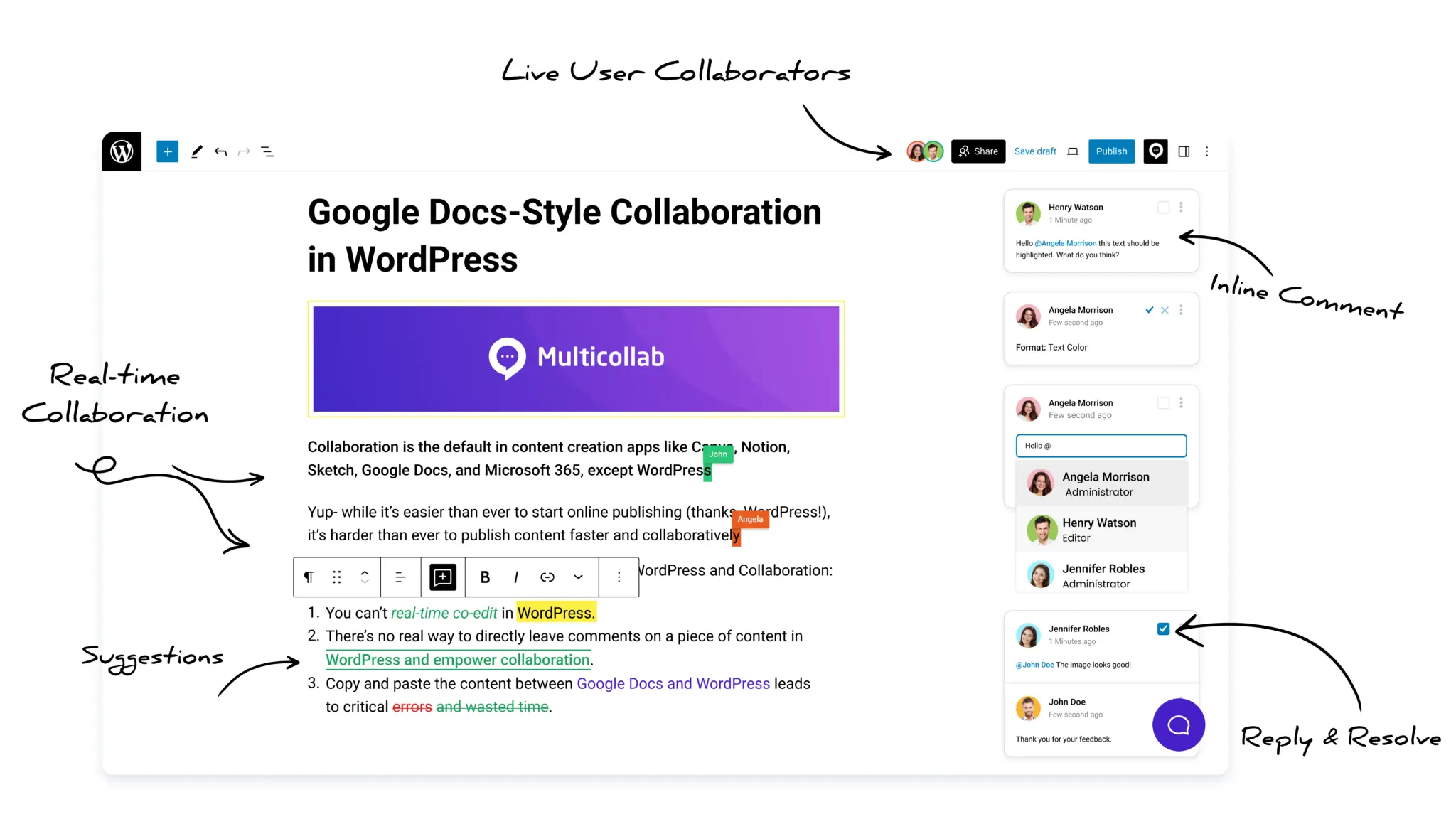
    Multicollab helps writers, editors, product experts, clients, and approvers collaborate around the WordPress draft instead of moving content between several platforms.

    Stakeholder problemMulticollab capabilityPractical use
    Feedback is separated from the contentInline commentsReviewers can comment on specific text or media
    Reviewers need to propose text changesSuggestion ModeAuthorized users can accept or reject proposed edits
    External experts need limited accessGuest collaborationInvite clients or experts without giving them unrestricted dashboard access
    Several people need to edit togetherReal-time collaborationUp to five active users can collaborate inside the WordPress editor
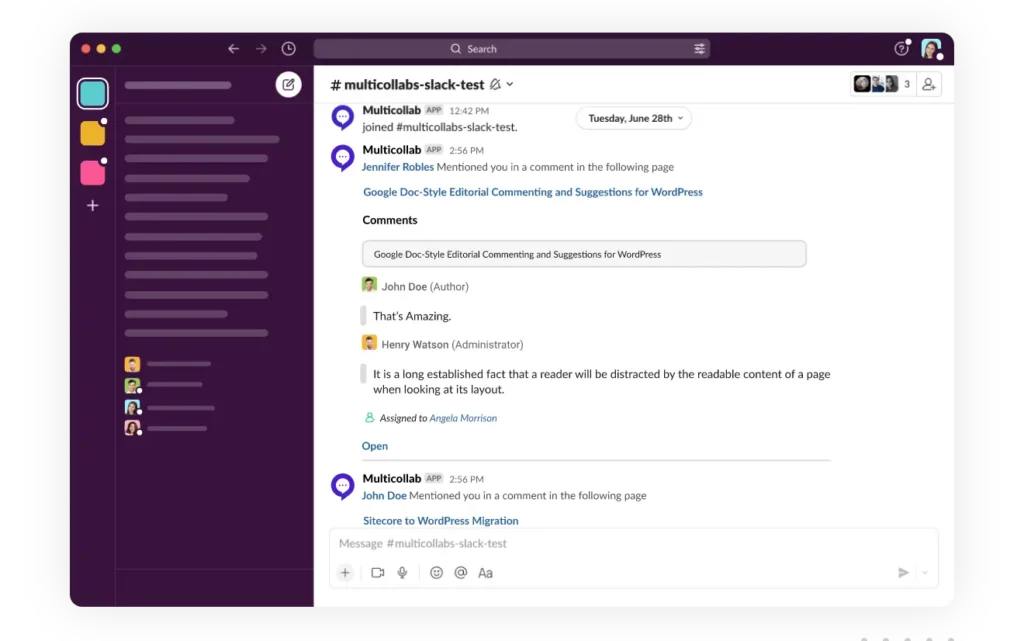
    Stakeholders miss review requestsEmail and Slack notificationsAlert users about mentions, replies, and suggestions
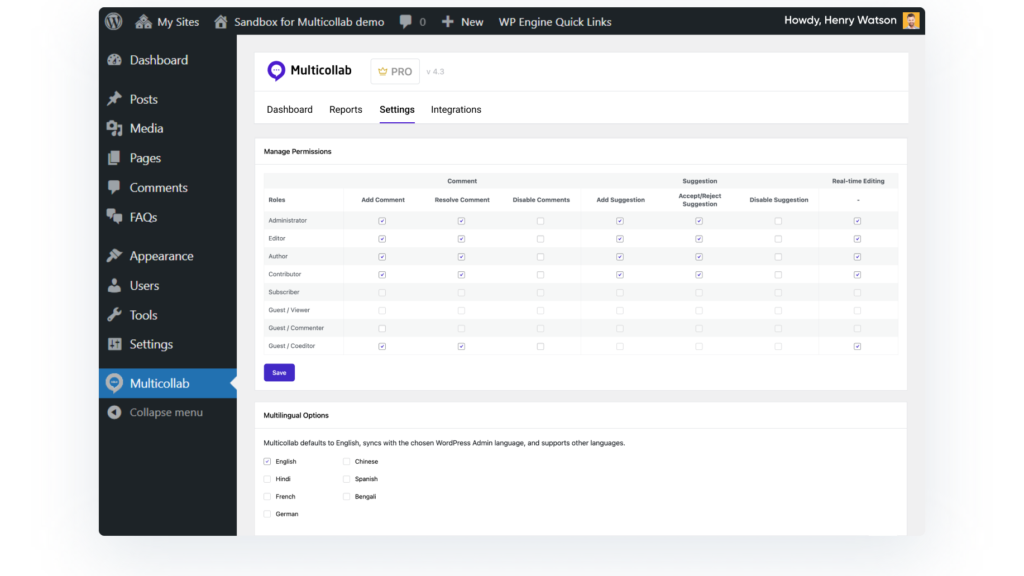
    Responsibilities are unclearRoles and permissionsControl who can view, comment, edit, resolve feedback, or publish
    Required publishing tasks are missedEditorial ChecklistTrack required and optional checks before publication
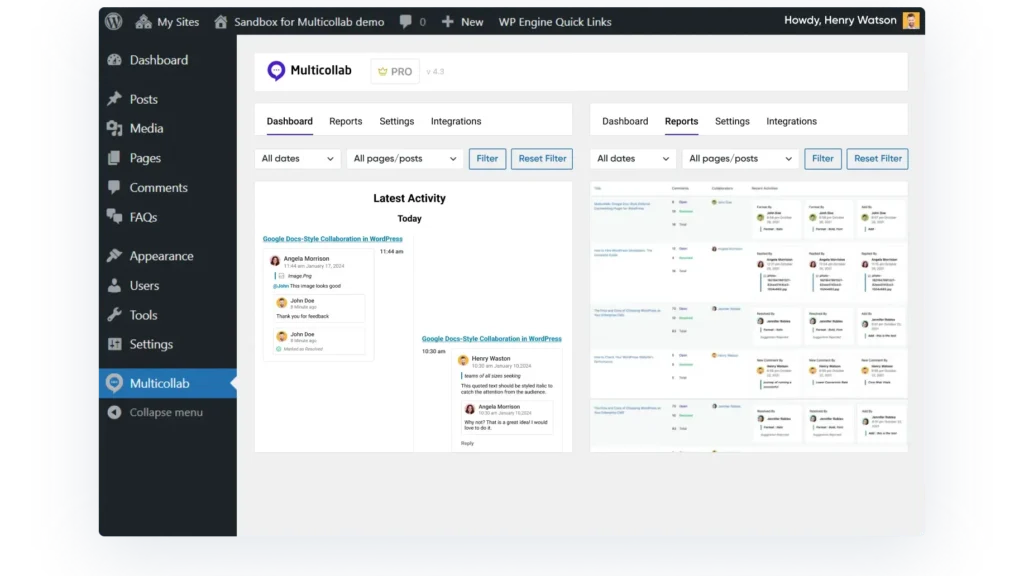
    Managers need workflow visibilityDashboard and Activity CenterReview collaboration activity across posts and pages
    Feedback remains unresolvedPublishing preferencesRemind users or prevent publishing when required work is incomplete

    Keep feedback connected to the content

    Inline comments allow stakeholders to discuss a specific sentence, block, image, or other supported content. The discussion remains connected to the part of the draft it affects.

    Suggestion Mode lets a reviewer propose changes without immediately replacing the original text. The writer or editor can review and accept or reject each suggestion.

    Give external stakeholders appropriate access

    With guest collaboration, clients, freelancers, or subject experts can participate without receiving unnecessary access to the complete WordPress dashboard. Assign an access level that matches their responsibility.

    Choose live or asynchronous collaboration

    Teams can use real-time collaboration in WordPress when people need to edit together. They can use comments and suggestions when stakeholders are working at different times or a formal review record is required.

    Real-time collaboration supports up to five concurrent active users. It does not currently work at the same time as Suggestion Mode, and two people cannot edit the same block simultaneously. Review the current documentation before choosing the collaboration mode for a project.

    Track readiness and unresolved work

    An editorial checklist can define required and optional tasks for different post types. Publishing preferences can remind users about unresolved work or prevent publication until required items are complete.

    This creates a clearer path from stakeholder feedback to final approval. For the complete publishing process, see the guide to creating a WordPress content approval workflow.

    Want to keep stakeholder feedback, suggested edits, approvals, and publishing inside WordPress? Explore Multicollab or try the hands-on demo.


    Stakeholder collaboration checklist

    Use this checklist before and during a project:

    • All relevant internal and external stakeholders have been identified.
    • Stakeholders are mapped by interest, influence, and required contribution.
    • The project goal, scope, deadline, and success criteria are documented.
    • One owner is accountable for each major deliverable.
    • Consulted stakeholders are separated from final approvers.
    • Every review request includes a specific question and deadline.
    • Communication channels and frequency are defined.
    • The latest version and feedback are maintained in one source of truth.
    • Stakeholders have the correct access permissions.
    • Important decisions and their reasoning are recorded.
    • A conflict escalation process is documented.
    • A backup approver is available when necessary.
    • Routine updates are shared asynchronously when practical.
    • Collaboration and approval metrics are regularly reviewed.
    • Stakeholder access is removed when it is no longer required.

    Frequently asked questions about stakeholder collaboration

    What is stakeholder collaboration?

    Stakeholder collaboration is the structured involvement of people who influence, contribute to, or are affected by a project. It defines how they provide information, feedback, decisions, work, or approval throughout the project.

    What are the steps in stakeholder collaboration?

    Identify stakeholders, map their interest and influence, define shared goals, assign roles, create a communication plan, centralize feedback, document decisions, and measure the effectiveness of the process.

    How can remote stakeholders collaborate effectively?

    Use asynchronous updates for routine information, keep feedback with the working deliverable, set response windows across time zones, record decisions, and reserve meetings for complex or unresolved issues. Make sure stakeholders can securely access the required content.

    Which tools support stakeholder collaboration?

    Project management, communication, document collaboration, file management, video, survey, and CMS collaboration tools can each support part of the process. Select tools according to whether stakeholders need to track tasks, review content, make decisions, share files, or approve publication.

    How do you measure stakeholder collaboration?

    Track stakeholder response rate, feedback and approval turnaround, revision rounds, unresolved decisions, approval-related delays, on-time delivery, stakeholder satisfaction, and meeting time. Combine these metrics with feedback about clarity and involvement.

    Can external stakeholders collaborate in WordPress?

    Yes. A WordPress collaboration solution like Multicollab can provide role-based guest access for clients, freelancers, or subject experts. This lets them review or contribute without giving them unrestricted administrative access.

    Build stakeholder collaboration around clear decisions

    Stakeholder collaboration does not improve because more people attend meetings or receive updates. It improves when the right people contribute at the right time, know what is expected, and understand who makes the final decision.

    Start by identifying and mapping stakeholders. Define the shared goal, responsibilities, communication plan, review windows, and decision rules. Keep the latest work and its feedback in one place, record important decisions, and measure where collaboration slows down.

    For WordPress content teams, keeping contextual comments, suggestions, guest reviews, checklists, permissions, and approvals close to the draft can reduce tool switching and make stakeholder responsibilities easier to follow. Try Multicollab to create a more connected content review process inside WordPress.

    Bring the power of Google Docs Collaboration to your Wordpress Site.

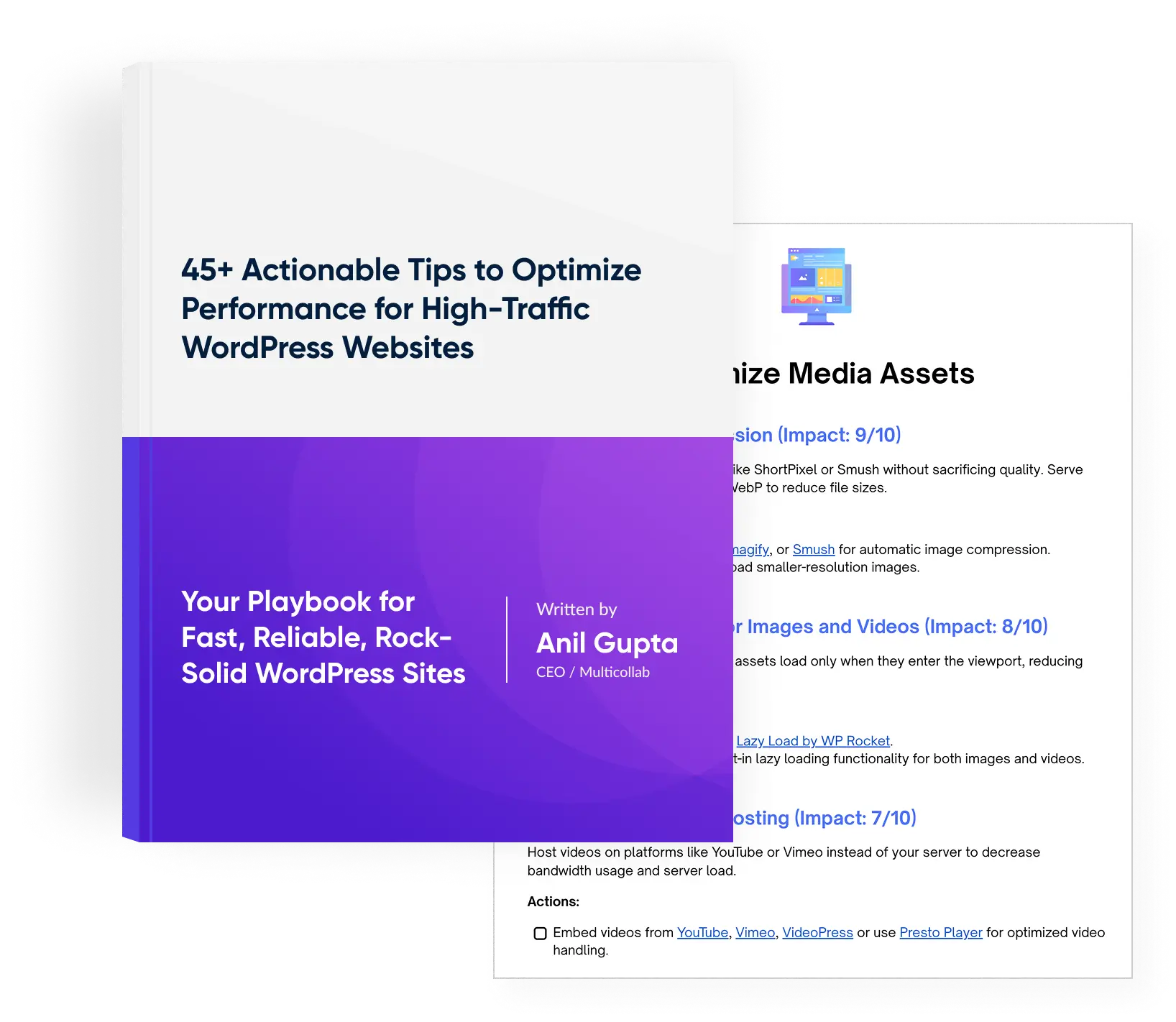
    Download a Free Actionable Guide: 45+ Actionable Tips to Optimize Performance for High-Traffic WordPress Websites

    •  Performance Optimization Techniques: Speed up your site with caching, image compression, and code minification.

    • Hosting and Scalability Suggestions: Learn to choose the right hosting solutions and scale efficiently.

    • Security and Protection Guidelines: Safeguard your site from DDoS attacks, malware, and performance threats.

    • Content and Plugin Management Tips: Optimize your database, plugins, and themes for peak performance.

    Please enter a valid email address (e.g., name@example.com).
    Download a Free Actionable Guide: 45+ Actionable Tips to Optimize Performance for High-Traffic WordPress Websites
    Download a Free Actionable Guide: 45+ Actionable Tips to Optimize Performance for High-Traffic WordPress Websites
    Author
    Anjali Rastogi has over 8 years of experience in content writing and brand management. Her audience research capabilities combined with applying design thinking methods, allow her to create exceptional content.