

Table of Contents
Multicollab is a WordPress plugin that helps publishers collaborate faster, with inline comments, suggestion mode, and real-time editing built into the Gutenberg editor.
Key Takeaways
- Publishers coordinate authors, editors, reviewers, and stakeholders before content goes live, which is where time gets lost.
- The biggest time drains are reviewing dynamic content, last-minute reformatting, managing approval tasks, and copying content back and forth.
- The right collaboration tools keep review and approval inside WordPress, cutting review cycles.
- A collaboration plugin like Multicollab lets teams comment, suggest, and approve on all content types in the Gutenberg editor.
- Pairing collaboration with task tracking keeps multi-piece approval workflows organized.
Content publishers use different kinds of collaboration tools to work with authors, editors, reviewers, and external stakeholders. This helps them gather everything they need to carry out the last step of the content creation process — publishing.
Before content is published, it should be approved by the right team members at every step. For instance, the editors should ensure that the content is grammatically correct, the stakeholders should agree that it will be valuable for their clients, and so on.
This puts a lot on the publisher’s plates.
Let’s take a look at the challenges faced by WordPress publishers while approving and publishing content.
Challenges faced by WordPress content publishers
Usually, the WordPress content production workflow relies on third-party content collaboration tools such as Google Docs and Microsoft Word. This is to simplify the review and feedback process by facilitating asynchronous collaboration between teams through commenting and tagging.
While these tools are good, dependency on these kinds of apps brings the following problems:
- Creating and reviewing dynamic content: CTA blocks, image carousels, social media widgets, etc., are content blocks that increase engagement rates. However, they can neither be created nor reviewed through tools like Google Docs. To create and manage dynamic content, teams have to rely on other collaboration tools like Slack and Zoom.
- Last-minute reformatting of content: When moving content from content editing tools such as Microsoft Word to the Gutenberg Editor, the publisher has to check the text formatting once more. This involves the re-alignment of text, images, GIFs, and other content blocks which is both tedious and time-consuming.
- Managing tasks during content approval: Before publication, all the aspects of the content should be ready. The designer should verify that the images and videos are right, the marketer should ensure that the CTAs are placed properly, and so on. It can be challenging to manage this if multiple pieces of content are produced simultaneously.
- Back and forth of content: As there will be a lot of last-minute changes to the content, it needs to be copied back to the content collaboration tool. If there are any more new changes, then this cycle repeats itself. This makes the review cycles long.
The above four challenges faced by WordPress publishers add more review cycles while making them tedious and time-consuming.
So, let’s look at some WordPress content collaboration tools that will help you solve all these problems, making your content publishing workflow faster and more efficient.
How WordPress content collaboration tools save time for publishers
You can start using the following tools right away to improve your overall WordPress content publishing process. The two WordPress collaboration plugins below will decrease your dependency on a lot of external tools as well.
Multicollab: Google Docs-style editing in WordPress
One of the primary reasons why third-party content collaboration tools such as Google Docs and Microsoft Word are virtually irreplaceable is because of their collaborative features. They enable you to work seamlessly with distributed teams while publishing content on WordPress.
But they still have certain limitations, as we briefly touched upon above.
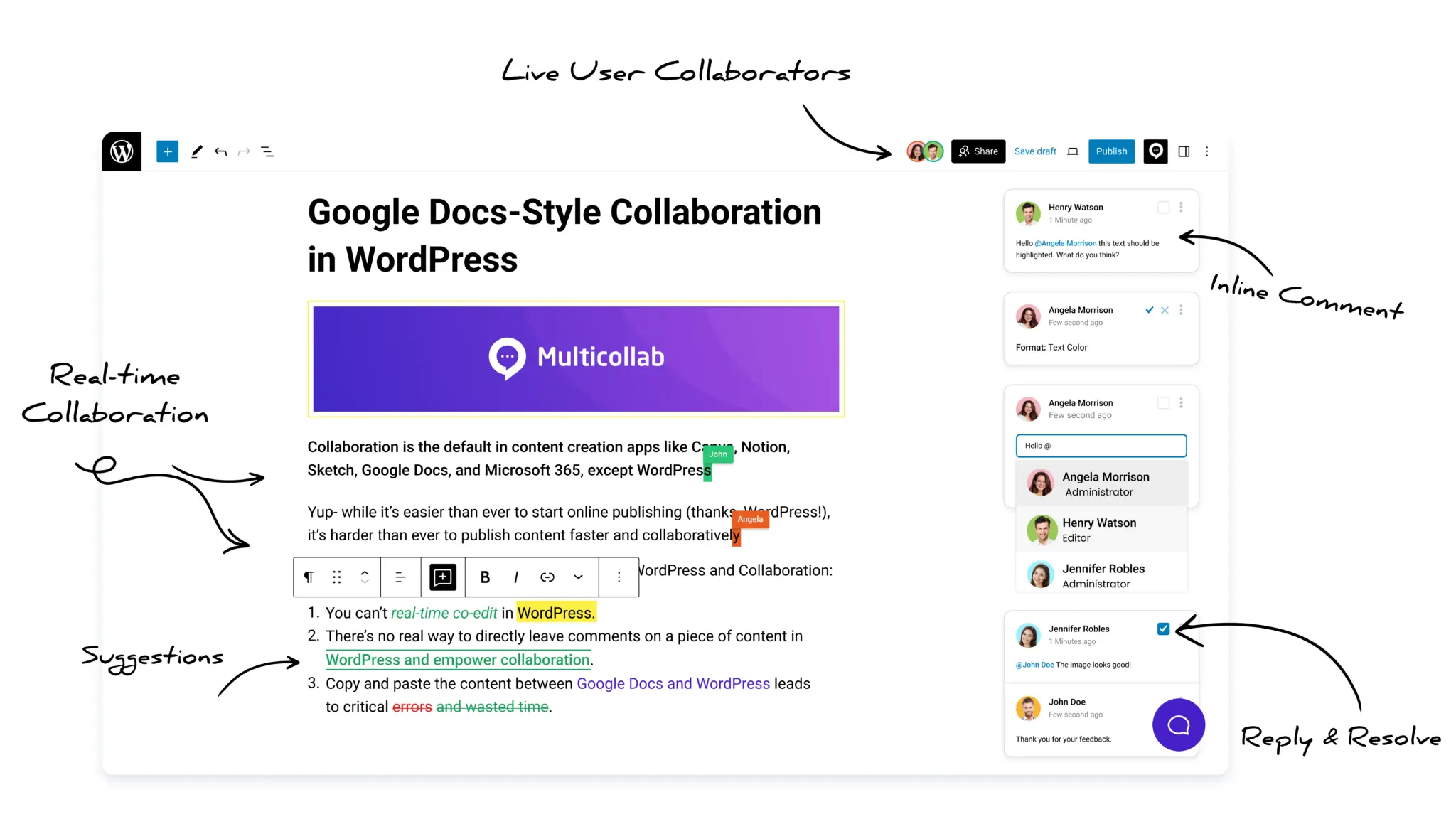
Fortunately, Multicollab solves that by enabling WordPress collaborative editing. With it, WordPress publishers can collaborate with everyone without ever leaving the Gutenberg Editor.
Here are the key features of Multicollab:
- Tag collaborators and share your feedback: This decreases your dependency on third-party content collaboration tools during the review and approval phase.
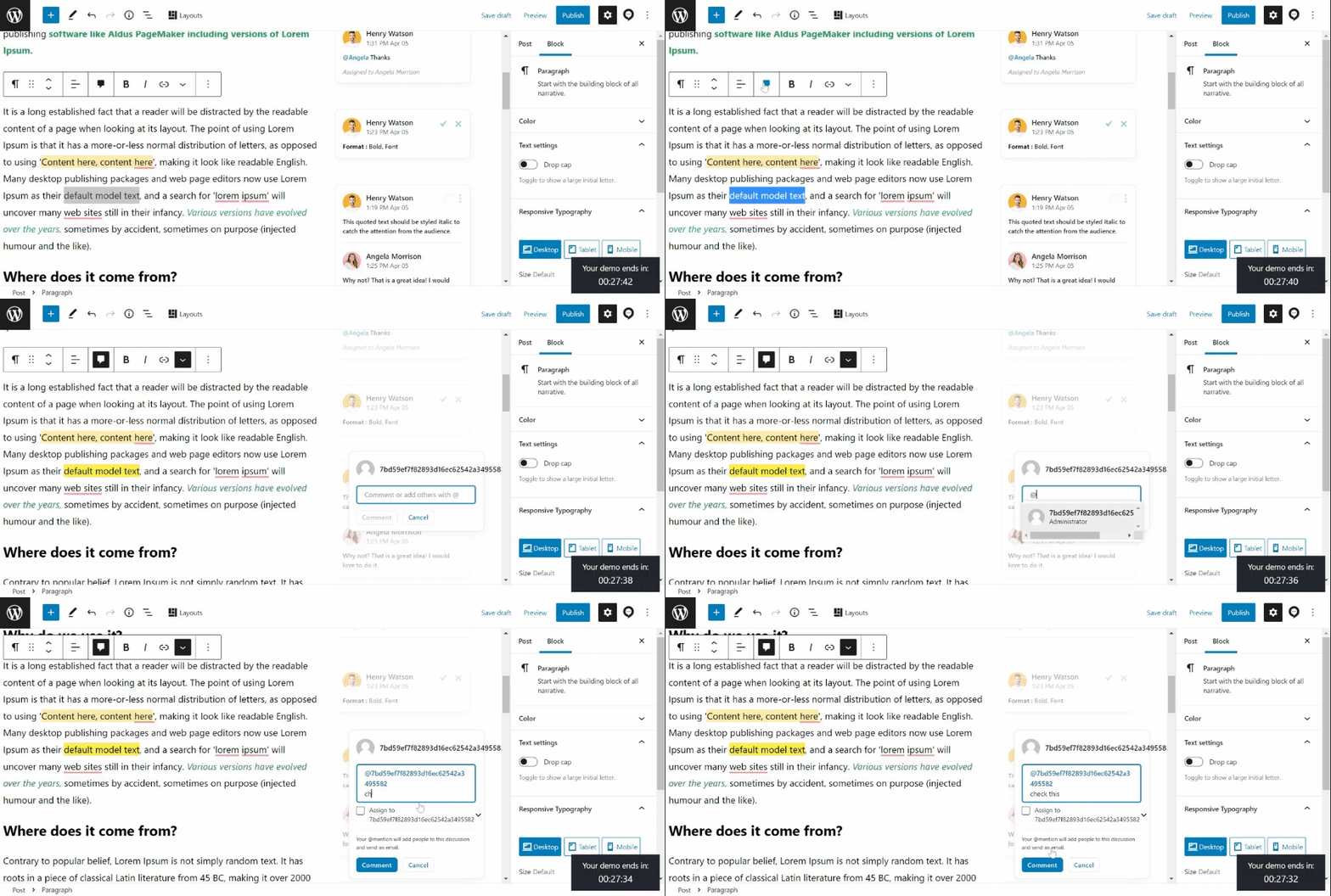
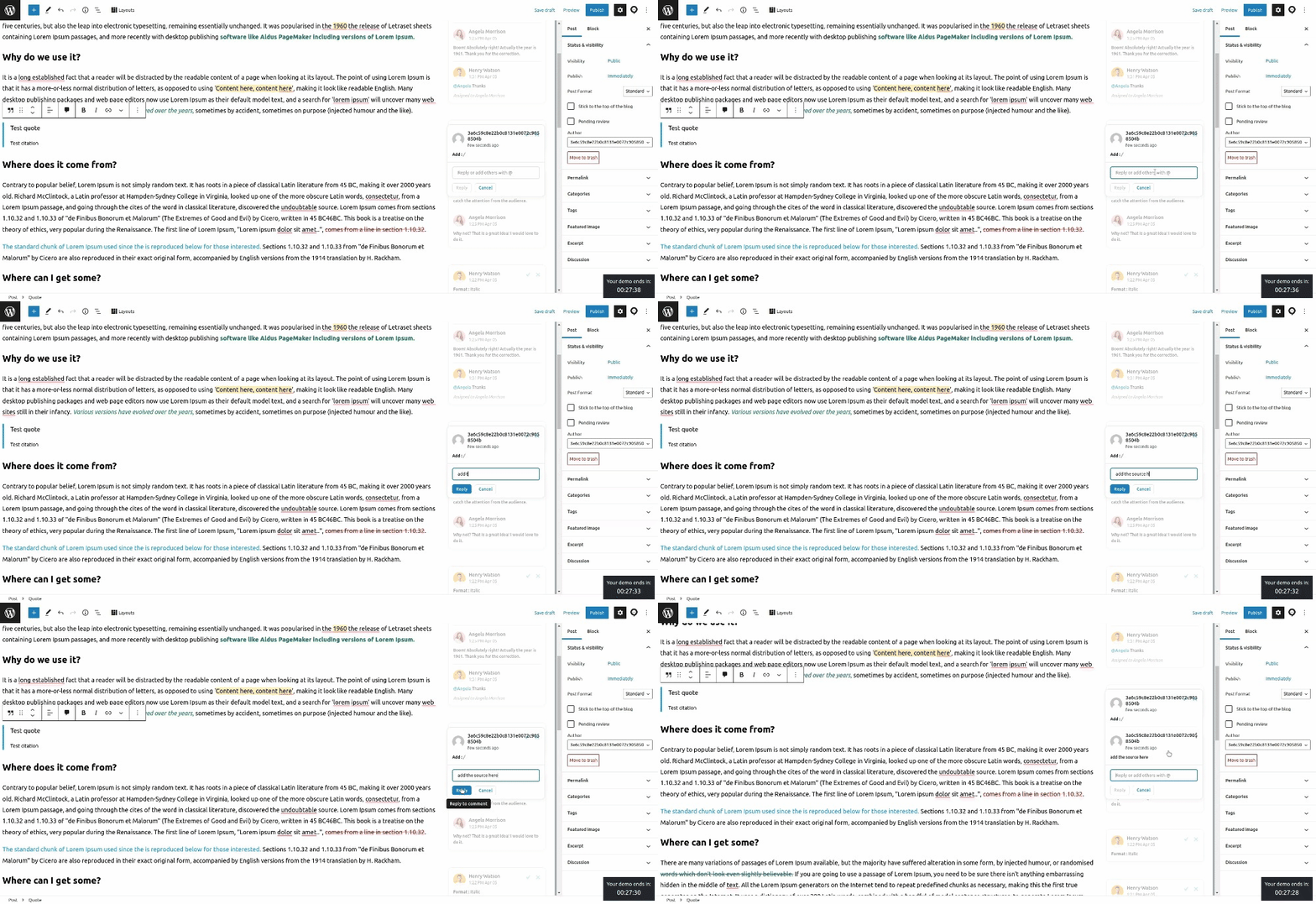
- Share feedback on videos and dynamic content: Just as you get feedback on textual content on tools like Google Docs, you can do it for all content types with Multicollab. This is because you will be editing your blog draft on a blog editing platform, not a general-purpose tool.
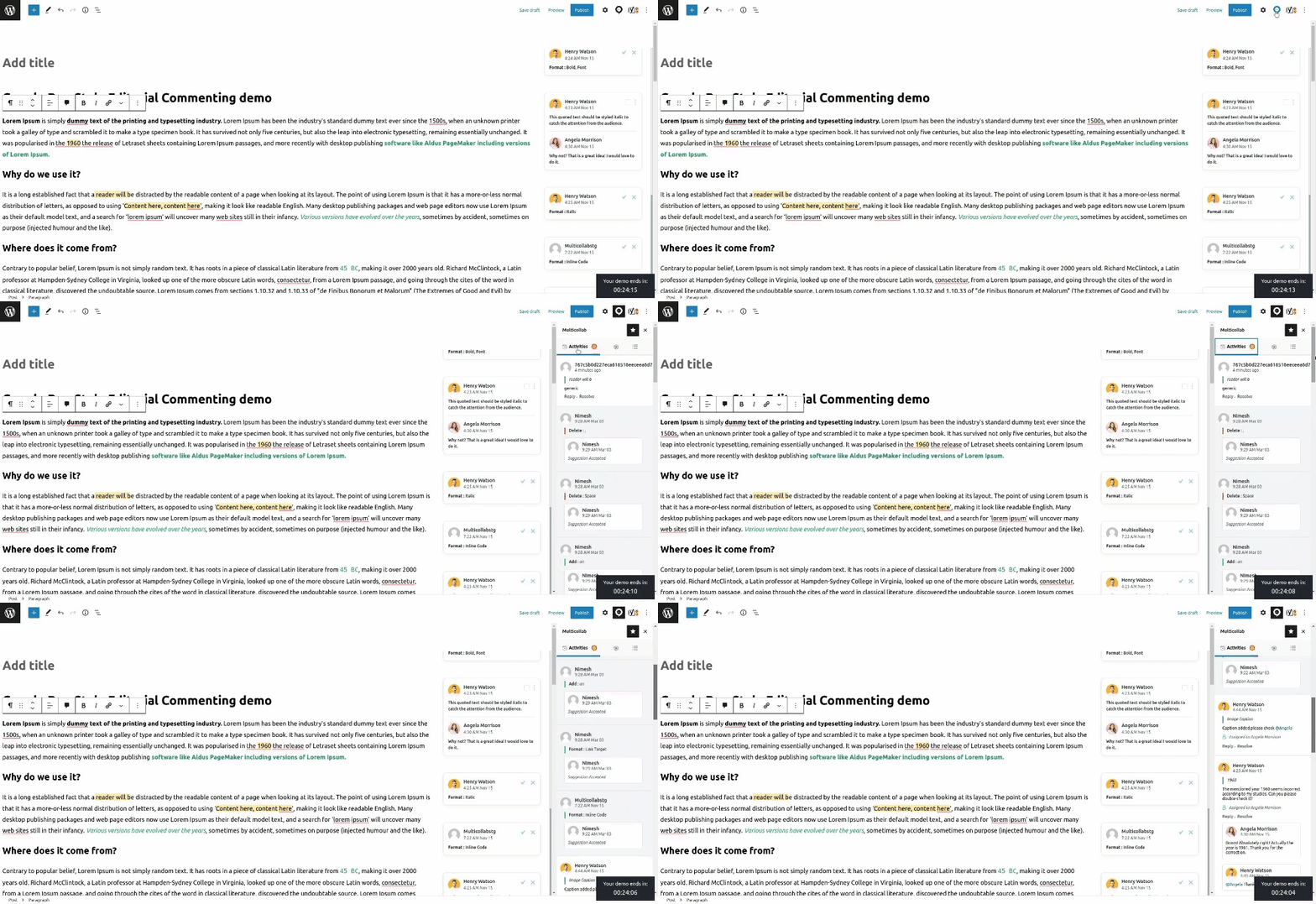
- Access the activity history of the draft: When there are multiple collaborators working on content through multiple review processes, mistakes can be repeated. To help you and your team avoid this unproductive loop, Multicollab makes the draft’s editing history easily accessible.
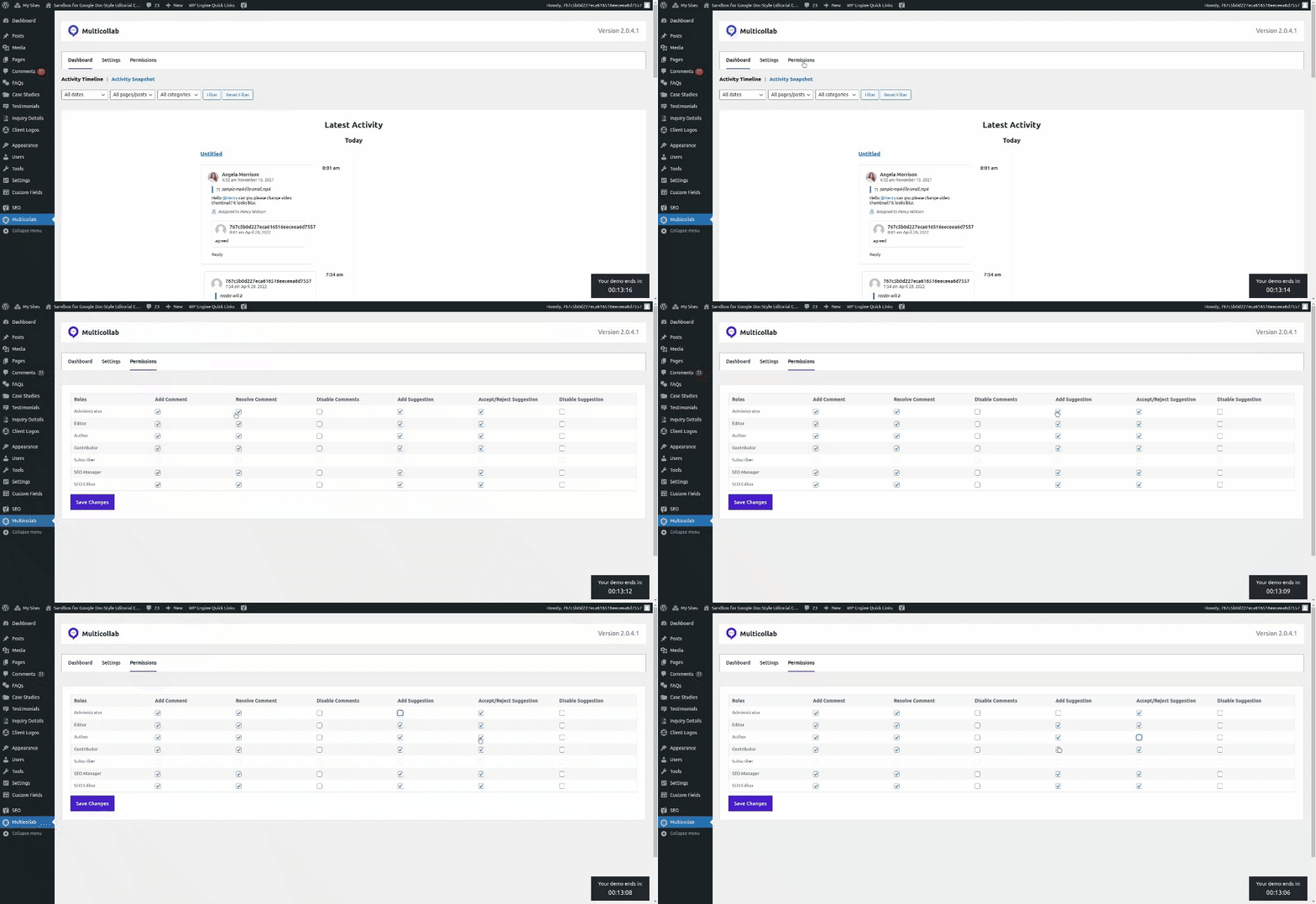
- Manage permissions of internal and external stakeholders: Once a content piece is approved, it should be made inaccessible to other collaborators to prevent any further edits. Publishers can now do this in seconds through Multicollab’s permission panel.
Multicollab reduces the dependency on third-party content collaboration tools such as Google Docs and traditional content review methods such as video calls and long text messages.
Apart from simplifying the content publishing workflow, this WordPress content collaboration tool also enables you to publish content 42% faster.
TaskBreaker: task and project management for content teams
Publishers are responsible to make sure that every internal team member and external stakeholder has approved the content before it gets published. This process takes place in a particular order. For instance, the author should approve before the stakeholder.
While managing multiple content pieces in different projects, WordPress publishers may find it tedious to keep track of everything.
This is where TaskBreaker comes in.
TaskBreaker is a small task and project management plugin which can help WordPress content teams in the following ways:
- Set deadlines for each task with the option of commenting under each task.
- Team members can change the status of tasks and attach files for better communication.
- Each of the projects will have a progress bar that will let you know its progress.
- You will receive email notifications whenever there are any changes made.
As a WordPress collaboration tool, TaskBreaker reduces the admin-related tasks of the publisher by automating them. This enables WordPress publishers to spend more time on crucial tasks rather than worrying about the approval workflow.
Conclusion
WordPress content publishers make sure that a content piece is perfect from all sides before publishing it on the site. This involves making last-minute changes, getting it approved by internal and external teams, and keeping everyone on the same page.
Using third-party content collaboration tools such as Google Docs and MS Word and communication apps such as Slack and Google Meet is inefficient as they make the entire process expensive and tedious.
Thankfully, there are two WordPress content collaboration tools that will help you with this: Multicollab and TaskBreaker.
Multicollab enables WordPress collaborative editing where you can share feedback on all content types directly on the Gutenberg Editor as you do with Google Docs. This eliminates the need for third-party tools mentioned above which makes the publishing process faster.
TaskBreaker is a task and project management plugin which allows publishers to keep track of the approval workflow without spending a lot of time and effort.
The Gutenberg Editor has revolutionized how WordPress teams create content.
Download the free guide on 16 tips to get the most out of the Gutenberg editor to empower your team to thrive on WordPress.
Frequently Asked Questions
What are WordPress content collaboration tools?
WordPress content collaboration tools are plugins and apps that help teams write, review, comment on, and approve content together. They reduce reliance on external tools like Google Docs by bringing collaboration into the WordPress workflow.
How do collaboration tools save publishers time?
They cut the review cycle by keeping feedback, edits, and approvals in one place, removing the copy-paste between Google Docs and WordPress, and letting teams review all content types, including video and dynamic blocks, where the content actually lives.
Why is reviewing content in Google Docs inefficient for publishers?
Google Docs cannot create or review dynamic content like CTA blocks and carousels, and moving content into WordPress causes reformatting and broken layouts. This adds extra review cycles and slows publishing.
What features should a WordPress content collaboration tool have?
Look for inline commenting, suggestion mode, real-time editing, the ability to comment on all content types, role-based permissions, and activity tracking, so the whole review and approval process stays inside WordPress.
How does Multicollab help publishers?
Multicollab lets publishers and their teams comment, suggest edits, and approve content on any content type directly in the Gutenberg editor, with activity history and role-based permissions, removing the dependency on third-party tools.
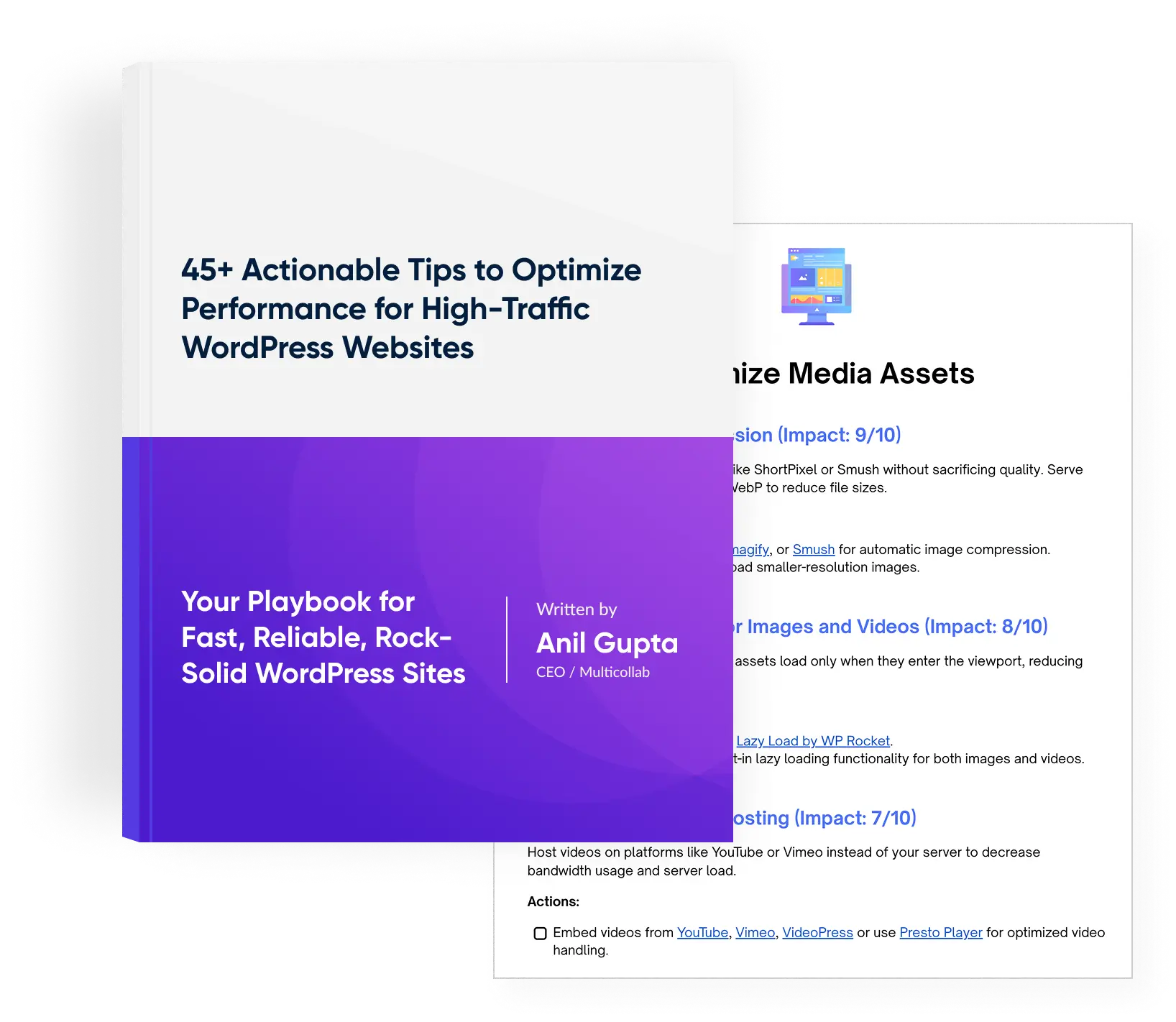
Download a Free Actionable Guide: 45+ Actionable Tips to Optimize Performance for High-Traffic WordPress Websites
Performance Optimization Techniques: Speed up your site with caching, image compression, and code minification.
Hosting and Scalability Suggestions: Learn to choose the right hosting solutions and scale efficiently.
Security and Protection Guidelines: Safeguard your site from DDoS attacks, malware, and performance threats.
Content and Plugin Management Tips: Optimize your database, plugins, and themes for peak performance.