

Table of Contents
WordPress real-time collaboration was the biggest promised feature of WordPress’s collaboration update, known as Gutenberg Phase 3. It has now been dropped from two WordPress releases in a row.
The reason is simple. Letting many people type in the same post at once is hard to do safely. The site has to keep a live connection open for each person and blend everyone’s changes without losing any work. It has to do this on every kind of hosting WordPress runs on, from the cheapest plans to big servers. Each time, WordPress picks a safe, stable release over a risky feature.
So waiting for WordPress to add this is not a plan. The teamwork most editors need every day, comments and suggestions, already works in WordPress through plugins. Small-group live editing works too
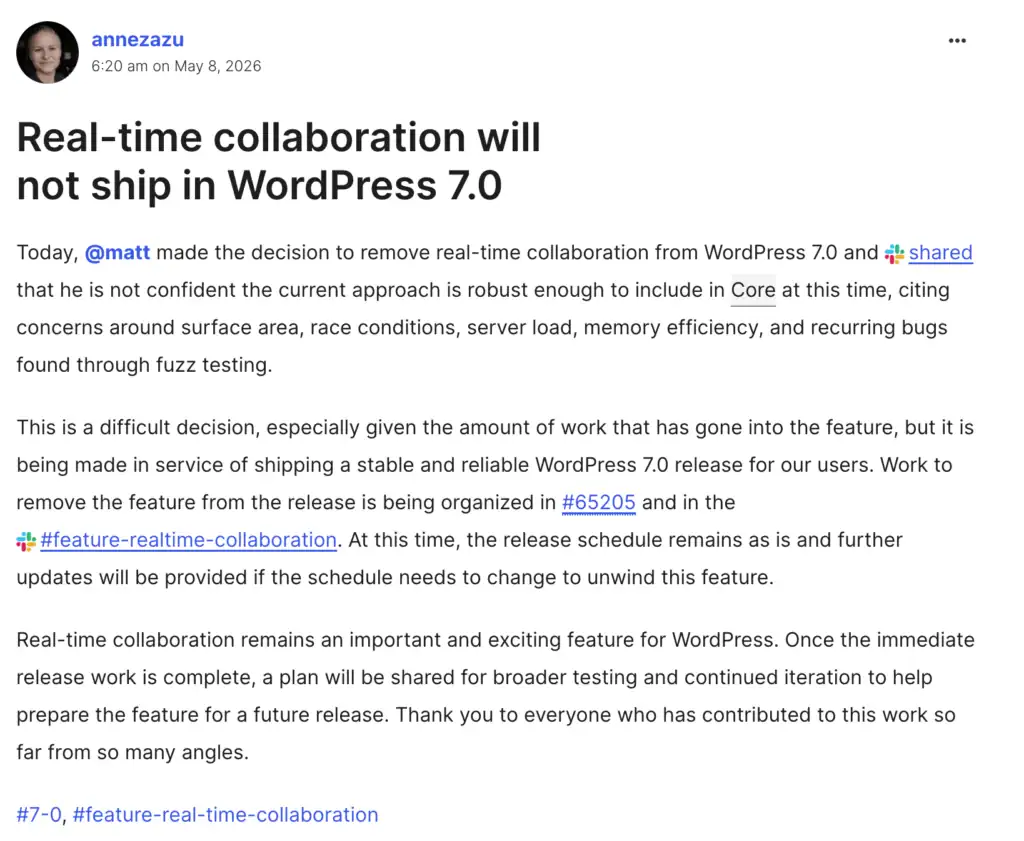
WordPress has no real-time collaboration in core. It was removed from WordPress 7.0 on May 8, 2026, twelve days before launch, and deferred again from WordPress 7.1 (shipped August 19, 2026). The core team cited server load, race conditions, memory use, and recurring bugs. No release is confirmed, and the code now sits in an experimental directory. Core is shipping the asynchronous side (Notes and suggestions) instead. Teams that need collaboration now use a plugin such as Multicollab.
What is WordPress real-time collaboration?
Real-time collaboration means two or more people editing the same WordPress post at the same time. You can see each other’s cursors and changes as they happen. It works like Google Docs, but inside the WordPress editor.
This is different from comments and suggestions, which people can add any time, even when no one else is online. Comments and suggestions are what most teams use every day, and WordPress is adding them a bit at a time. Live editing is the hard part, and it is the part that keeps getting cut.
There is also a question of size. When we say real-time collaboration keeps getting cut, we mean the version built into WordPress itself. That version has to work safely on every site, even cheap, low-power hosting. A plugin can offer live editing to a small team on a stronger host. That is a smaller version of the same idea, not a contradiction.
Is WordPress real-time collaboration in core yet?
No. It did not ship in either release built to carry it, and it has no confirmed date.
| Release | Ship date | Real-time collaboration | What shipped |
| WordPress 7.0 “Armstrong” | May 20, 2026 (originally April 9) | Pulled May 8, 2026 | AI Client, Abilities API, Connectors, admin redesign, Visual Revisions, Notes with suggestions |
| WordPress 7.1 “Mary Lou” | August 19, 2026 | Deferred again | Responsive styling, client-side media, persistent admin bar, always-iframed editor, Playlist and Tabs blocks |
| WordPress 7.2 | Targeted ~December 9, 2026 | Not a committed headline | Notes collaboration (suggestion mode, reactions), security hardening, new blocks |
For most of its build, WordPress 7.0 was called the collaboration release. The launch was pushed back six weeks to fix the feature. Then it was removed on May 8. In 7.1 it came back on the plan without a date, then was left out again.
In July 2026 the code was moved into a test-only folder because no one was sure it would be ready for 7.2. What WordPress is adding instead is the simpler side: 7.0 added notes and suggestions, and 7.2 (planned for December 2026) is about more of the same, not live editing.
Takeaway: Treat built-in live editing as “no date yet.” Use the comment and suggestion tools that already work.
Why does WordPress real-time collaboration keep getting cut from core?
Three reasons stand out.
1. It is a server problem, not just an editing feature. When WordPress removed it from 7.0, the reasons were about server load, memory use, and bugs that kept showing up in testing. Live editing has to keep a connection open for each person, blend everyone’s edits, and never lose a draft. That is heavy work behind the scenes.
2. It has to work on every kind of hosting. WordPress runs a huge part of the web: cheap shared plans, large networks, and big companies. Real-time collaboration has worked well in a private test for large enterprise clients since October 2025. But working there is not the same as being safe for every site.
3. No one has agreed on the final shape. The 7.1 plan brought it back as an open question, not a firm date. At a WordPress event in 2026, some developers even asked whether the full feature belongs in WordPress itself at all.
What can your team do about working together right now?
You have three options today. Start with the free ones, because for light needs they are enough.
Write in Google Docs, then paste it in
This works for one writer or a very small team who do not mind that the work lives outside WordPress. The catch is the paste step. Moving text from Google Docs into the WordPress editor often breaks the formatting and layout. And all your review happens in a tool that WordPress cannot see.
Use WordPress on its own
WordPress lets one person edit a post at a time and warns you when someone else is already in it. This works for teams of two or three. But there are no comments on the draft, no tracked changes, no way to tag people, and no way to let a client review without a full account. Feedback ends up in email, away from the draft.
Both free options fail at the same point. You cannot give clear feedback on the draft, let outside people review it safely, or keep a record of who changed what. That gap is what a plugin fills.
Use a plugin to fill the gap
SmartWP’s rundown of the 7.0 removal named Multicollab as the most established tool for Google Docs-style teamwork in the WordPress editor.
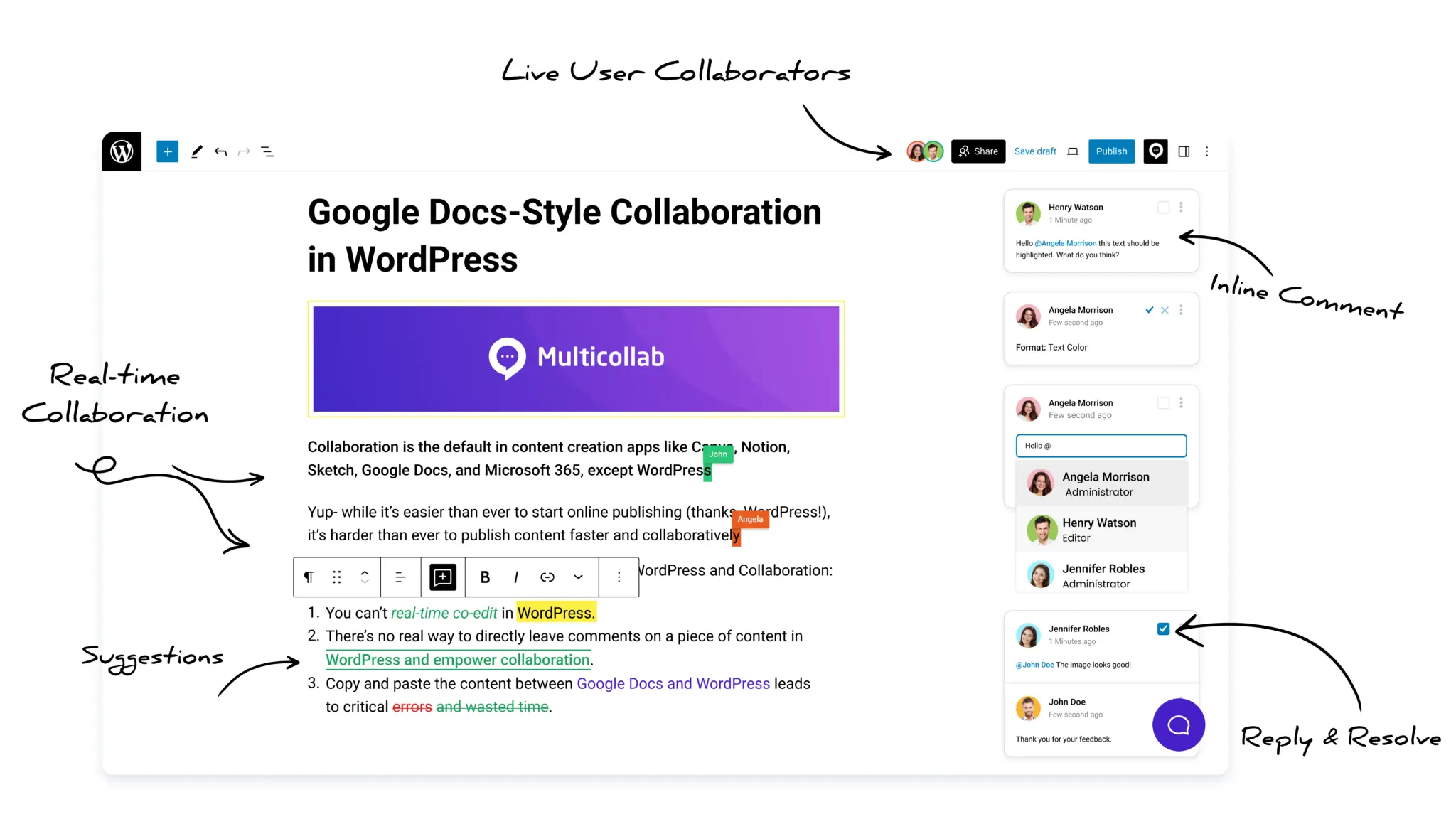
Inside the editor it gives you comments on any block (with tags, reactions, and file attachments), tracked changes, live editing for small groups, guest review by email link with no account needed, and roles you can set per person.
The limits, stated plainly: live editing allows up to five people on one post at a time; it needs a stronger host (a VPS or managed host), not cheap shared hosting; and you cannot use tracked changes and live editing at the same time.
That hosting limit is the link back to WordPress itself: a plugin is allowed to ask for a stronger host, while WordPress has to be safe on every host. It is a smaller version of the feature WordPress is trying to build for everyone.
| Google Docs + paste | WordPress on its own | Plugin (like Multicollab) | |
| Live typing together | Yes | No | Yes, up to 5 people |
| Comments on the draft | Outside WordPress | No | Yes, in the editor |
| Tracked changes | Outside WordPress | No | Yes |
| Guest review, no account | Outside WordPress | No | Yes |
| One place for the work in WordPress | No | Yes | Yes |
| Best for | One writer, light needs | Very small teams | Teams, agencies, publishers |
WordPress real-time collaboration keeps getting cut because live editing has to be safe on every site WordPress runs on, and safety keeps winning. For large-group live typing, everyone is still waiting on WordPress.
For the everyday teamwork of comments and reviews, you do not have to wait. Check out Multicollab plans today!
Frequently Asked Questions
What WordPress plugins let teams edit together now?
Multicollab is the most established tool for Google Docs-style teamwork in the WordPress editor. It offers comments, tracked changes, live editing for small groups, and guest review. Most other tools only do comments and suggestions. No plugin yet offers full live editing for large groups, which is the same problem WordPress itself is working on.
Download a Free Actionable Guide: 45+ Actionable Tips to Optimize Performance for High-Traffic WordPress Websites
Performance Optimization Techniques: Speed up your site with caching, image compression, and code minification.
Hosting and Scalability Suggestions: Learn to choose the right hosting solutions and scale efficiently.
Security and Protection Guidelines: Safeguard your site from DDoS attacks, malware, and performance threats.
Content and Plugin Management Tips: Optimize your database, plugins, and themes for peak performance.