

Table of Contents
Key Takeaways
- WordPress is commonly used for publishing, while writing, feedback, and approvals happen in external tools.
- An editorial workspace keeps drafting, review, approval, publishing, and updates connected to the same content.
- WordPress 6.9 introduces Notes, which allow contextual feedback at the block level inside the editor.
- Notes improve feedback but do not provide workflows, suggestion editing, or versioned updates for live content.
- Tools like Multicollab add workflows, editorial checklists, suggestion editing, and safe versioning to support a complete editorial process inside WordPress.
Many WordPress teams use the platform only for publishing.
The actual editorial work often happens in other tools. Writing may happen in Google Docs. Feedback may happen in comments, Slack, or email.
Writers prepare content in one place. Editors review it somewhere else. The final version is copied into WordPress before publishing.
This approach works when publishing is infrequent. It becomes difficult when content volume increases or when several people collaborate on the same article.
Multiple document versions appear. Feedback becomes scattered. It becomes harder to track what changes were approved.
WordPress still holds the final content. However, the discussion and decisions that shaped that content are stored elsewhere.
A real editorial workspace keeps writing, review, approval, and publishing inside the same system. For WordPress teams, this means keeping the entire editorial process inside WordPress itself.
A WordPress editorial workflow defines how content moves from draft to review, approval, publishing, and later updates inside WordPress.
What is a WordPress editorial workflow
A WordPress editorial workflow is when writing, reviewing, approving, publishing, and updating content happen in the same workspace.
The key characteristic is that collaboration happens around the same document.
Writers create drafts. Editors review them. Stakeholders provide feedback. Approvals happen before publishing.
Each step remains connected to the content itself.
An editorial workspace removes the separation between writing tools and the publishing system. Content is created in WordPress, feedback is attached to the article, and review decisions remain visible with the content.
This reduces version confusion and keeps editorial discussions connected to the published article.
Why WordPress is not an editorial workflow system by default
WordPress is designed to publish content.
It provides posts, pages, revisions, and user roles. These features help manage access and track changes.
However, they do not support collaborative editorial work.
For example, WordPress revisions record changes after they happen. They do not support structured review before publishing.
User roles control permissions, but they do not define editorial stages such as review or approval.
The editor also lacks built-in tools for contextual collaboration. Feedback cannot be attached to specific parts of the content in a structured way.
Because of this, many teams move collaboration outside WordPress.
Writers draft articles in shared documents. Editors leave feedback in those documents. After revisions are complete, the content is copied into WordPress.
WordPress becomes the final step rather than the workspace where editorial work happens.
This separation increases the risk of version confusion and slows the review process as content production grows.
Capabilities required for a WordPress editorial workflow
A WordPress editorial workflow requires several capabilities that allow teams to manage writing, review, approval, and updates inside the editor.
Each capability addresses a specific coordination problem that appears when multiple people work on the same content.
1. Real-time collaboration in the WordPress editor
Real-time collaboration allows multiple users to work on the same article at the same time. Without this capability, teams often create duplicate drafts or edit separate document versions. Working in the same editor ensures that all contributors interact with the same version of the content.
2. Contextual feedback on content blocks
Editors need to attach feedback directly to the part of the article they are reviewing. Contextual feedback allows comments to be linked to specific blocks or sections. This removes ambiguity and allows authors to understand exactly which part of the content needs revision.

3. Suggestion-based editing
Editors frequently propose changes rather than rewriting the article themselves. Suggestion editing allows reviewers to recommend modifications while preserving the original text. Authors can review each suggestion and decide whether to accept or reject it.
4. Structured editorial workflow stages
An editorial workflow defines how content progresses from draft to publication. Common stages include draft, review, approval, and publish. Each stage indicates the current status of the article and clarifies who is responsible for the next step.
5. Editorial checklists for publishing quality
Editorial checklists ensure that required tasks are completed before an article is published. Typical checklist items include verifying metadata, checking links, confirming images, and validating factual details. Checklists help maintain consistency across large publishing teams.
6. Version-based updates for published content
Published articles often require updates. Version-based editing allows teams to create a working copy of the live article where revisions can be reviewed.
Once approved, the updated version replaces the published content. This prevents unfinished edits from appearing on the public site.
When these capabilities exist together, the WordPress editorial workflow becomes predictable and transparent.
Writers create drafts, editors review content, stakeholders approve changes, and updates are managed through controlled versions.
WordPress becomes the system where editorial work happens, not only where content is published.
WordPress 6.9 Notes and editorial collaboration
WordPress 6.9 introduced Notes, a feature that allows editors to leave feedback directly on blocks inside the post editor. Reviewers can attach a note to a block, add replies, and resolve the note once the issue is addressed. Notes are available only to users who can edit the post and are stored as a comment type linked to blocks through metadata.
Notes improve how teams leave contextual feedback during content review. However, they do not manage editorial stages, approvals, or structured publishing processes. Notes operate at the block level, cannot reference specific text within a paragraph, and do not support suggestion editing. They also do not provide version-based updates for published content.
As a result, Notes support discussion during editing but do not provide a complete WordPress editorial workflow.
Completing a WordPress editorial workflow with Multicollab
Multicollab extends the collaboration capabilities of the WordPress editor and functions as a WordPress collaboration plugin for managing review, feedback, and approvals inside the editor.
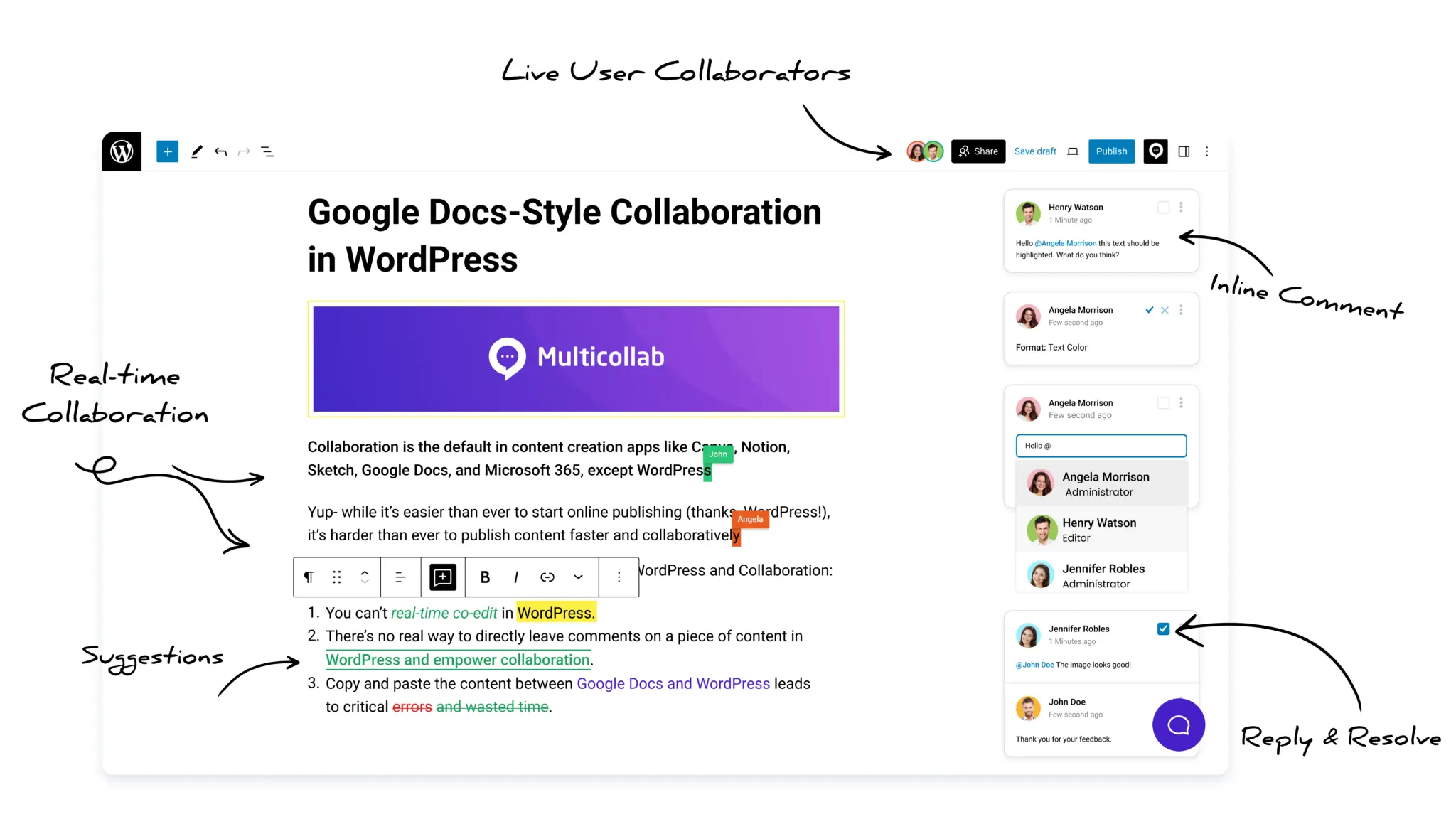
- It provides inline comments that attach feedback directly to specific parts of the content. Discussions remain connected to the article instead of separate documents.
- Suggestion mode allows reviewers to propose edits without modifying the original text. Authors can accept or reject each suggestion.
- Editorial workflows define stages such as draft, review, and approval. Content moves through these stages before publishing.
- Editorial checklists ensure required tasks are completed before a post is published or updated.
- The Create Version feature allows teams to update published content safely. A working version of the article is created for review while the live page remains unchanged.
Multicollab also supports guest collaboration, notifications, attachments in comments, and activity tracking.
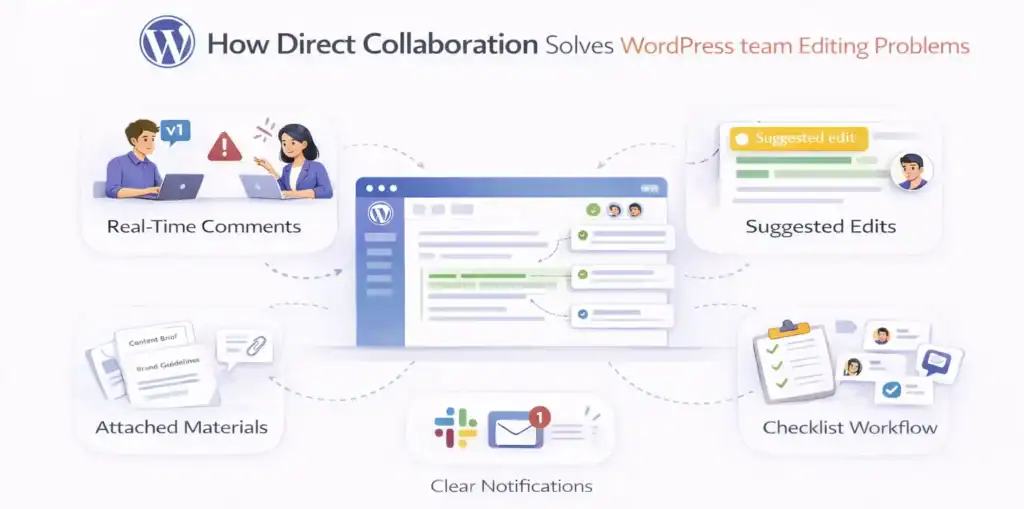
The following example shows how a WordPress editorial workflow operates when collaboration, review stages, and versioned updates are managed inside the editor.
Example WordPress editorial workflow:

- Writers create drafts in the editor.
- Editors review the draft using comments and suggestions.
- The content moves through defined workflow stages.
- Updates to published posts are handled through versioned editing.
Together, these capabilities allow writing, review, approval, and updates to happen inside WordPress.
Teams that need a WordPress editorial workflow
An editorial workspace is used by teams where multiple people work on the same content before publishing.
Content teams rely on it to manage drafting, editing, and approvals inside the editor. Publishers use it to coordinate work across multiple authors and editors.
Agencies often need a structured process when clients review or approve articles before publication. Marketing teams also depend on this structure when updating existing content for SEO, accuracy, or product changes.
In these environments, content moves through several stages before it becomes public. An editorial workspace keeps those stages visible and connected to the content itself.
Outcome of a structured WordPress editorial workflow
A WordPress editorial workflow defines how content moves from draft to review, approval, publishing, and updates. When these steps happen across multiple tools, teams lose context and version control.
Running the workflow inside WordPress keeps writing, feedback, approvals, and updates connected to the same article.
If your team collaborates, reviews, and updates content inside WordPress, the next step is to enable an editorial workspace where the content already lives.
With tools like Multicollab, WordPress can support the full editorial process without relying on external systems. You can review the available plans here.
Download a Free Actionable Guide: 45+ Actionable Tips to Optimize Performance for High-Traffic WordPress Websites
Performance Optimization Techniques: Speed up your site with caching, image compression, and code minification.
Hosting and Scalability Suggestions: Learn to choose the right hosting solutions and scale efficiently.
Security and Protection Guidelines: Safeguard your site from DDoS attacks, malware, and performance threats.
Content and Plugin Management Tips: Optimize your database, plugins, and themes for peak performance.