
Table of Contents
Multicollab is a WordPress collaboration plugin that lets content teams write, comment, suggest edits, and approve work together inside the Gutenberg editor.
Key Takeaways
- A content creation team turns scattered effort into a repeatable system. Clear roles and a defined process matter more than team size.
- The core roles are strategist, writer, editor, SEO specialist, and designer. Smaller teams combine several into one person.
- The content process has five steps: strategy, creation, review, approval, and publishing.
- The most common challenges are unclear roles, scattered feedback, and missed deadlines. All three are fixable with process and the right tools.
- A shared collaboration tool keeps the team aligned. For WordPress teams, Multicollab brings the whole workflow into the editor.
A great content creation team is more than a group of talented writers. It is a system: the right roles, a clear process, and tools that keep everyone aligned from the first idea to the published post. Without that structure, even skilled people produce inconsistent work, miss deadlines, and lose feedback in email threads.
This guide covers how to build a content creation team that works: the core roles you need, the five-step process that moves content from idea to publish, the challenges most teams face, and the tools that hold it all together.
A content creation team usually includes these core roles: a content strategist who sets direction, writers who produce drafts, editors who review and refine, an SEO specialist who optimizes for search, and a designer who creates visuals. Larger teams add a content manager to coordinate the workflow.
The core roles in a content creation team
You do not need every role from day one, but you do need to know which jobs must get done. As your output grows, you split these across more people.
Content strategist: Sets the direction. They decide what content to create, for whom, and why, tying every piece back to business goals.
Writers: Produce the drafts. They turn briefs and ideas into clear, engaging content that fits the brand voice.
Editors: Review and refine. They catch errors, sharpen structure, check facts, and keep quality consistent across writers.
SEO specialist: Optimizes for search. They handle keyword research, on-page optimization, and the technical details that help content rank and get found.
Designer: Creates the visuals. They produce the images, graphics, and layouts that make content clear and shareable.
Content manager: Coordinates the team. On larger teams, they own the calendar, assign work, track progress, and keep everything moving. On small teams, one person often covers strategy, editing, and management together.
The 5 steps of the content creation process
A repeatable process is what separates a content team from a group of freelancers working in parallel. Most effective teams follow five steps.
- Strategy and planning. Define the goal, audience, and topic. Brief the writer with the angle, keywords, and key points.
- Creation and drafting. The writer produces the first draft against the brief.
- Review and editing. Editors refine the draft, and reviewers add feedback, ideally in one place rather than scattered across email.
- Approval. A designated owner signs off, confirming the content meets quality and brand standards before it goes live.
- Publishing and distribution. The content is published and promoted across the right channels.
A documented editorial workflow keeps these steps consistent, so nothing skips review or ships half-finished.
Common challenges in a content creation team
Even well-staffed teams hit the same recurring problems. Knowing them in advance makes them easier to design out.
Unclear roles and responsibilities. When ownership is vague, work gets duplicated or dropped. The fix is assigning a clear owner to each stage of the process.
Scattered feedback. Feedback lost across email chains, chat messages, and document comments slows everything down and causes mistakes. The fix is a single place where all feedback lives with the content.
Missed deadlines. Without visible progress and clear handoffs, work stalls between stages. The fix is a shared workflow where everyone can see what is due and who owns it.
Maintaining quality at scale. As output grows, consistency slips. The fix is a style guide plus a pre-publish checklist that holds every piece to the same standard.
These are the same friction points that a strong content approval workflow is designed to remove.
Hiring the right talent
When you are ready to grow the team, hire against the gap that is slowing you down most, not a generic job title.
- If quality is inconsistent, hire an experienced editor first.
- If you cannot produce enough, add writers.
- If content is not getting found, bring in SEO expertise.
- If visuals are the bottleneck, hire or contract a designer.
Look for people who can work within a process and collaborate well, not just strong individual contributors. A brilliant writer who ignores briefs and feedback will slow a team down more than a solid writer who fits the workflow. For distributed teams, communication habits matter as much as raw skill.
Tools and technologies to streamline your content team
The right tools turn a good process into a fast one. A content team generally needs three layers:
- Planning: a content calendar or project management tool to schedule and assign work.
- Collaboration: a shared space to write, comment, suggest edits, and approve content.
- SEO: a tool for keyword research and on-page optimization.
For teams that publish on WordPress, the collaboration layer is where most time gets lost, copying drafts between Google Docs and WordPress, chasing feedback, and managing approvals across tools.
Key features of Multicollab
Multicollab brings the entire collaboration layer into the WordPress editor, so your team writes, reviews, and approves in one place.
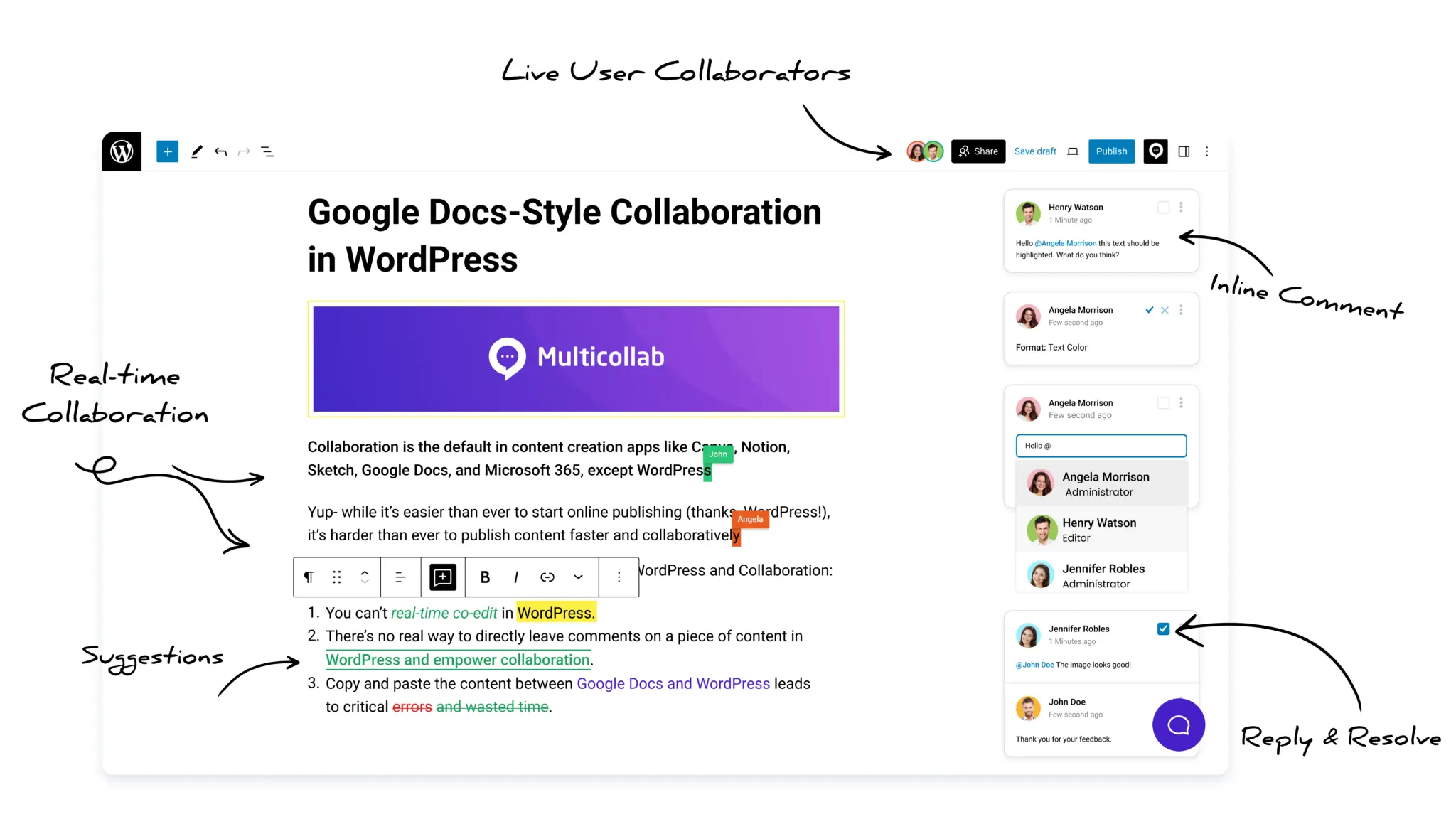
- Real-time co-editing: Multiple people work on the same post at once, with changes syncing live (Pro plan).
- Inline comments and @mentions: Leave feedback on any text, image, or media block, and notify teammates by email or Slack.
- Suggestion Mode: Propose edits as tracked changes that editors accept or reject in bulk (Pro plan).
- Content Workflows: Move content through Draft, Review, Approval, and Publish, with an owner assigned at each stage (Pro plan).
- Editorial Checklist: Enforce pre-publish standards, so quality stays consistent as you scale (Pro plan).
- Role-based permissions: Control who can comment, resolve, and approve, keeping access aligned with each person’s role.
- Guest collaboration: Invite clients or freelancers as a Commenter or Viewer, without giving them a WordPress account.
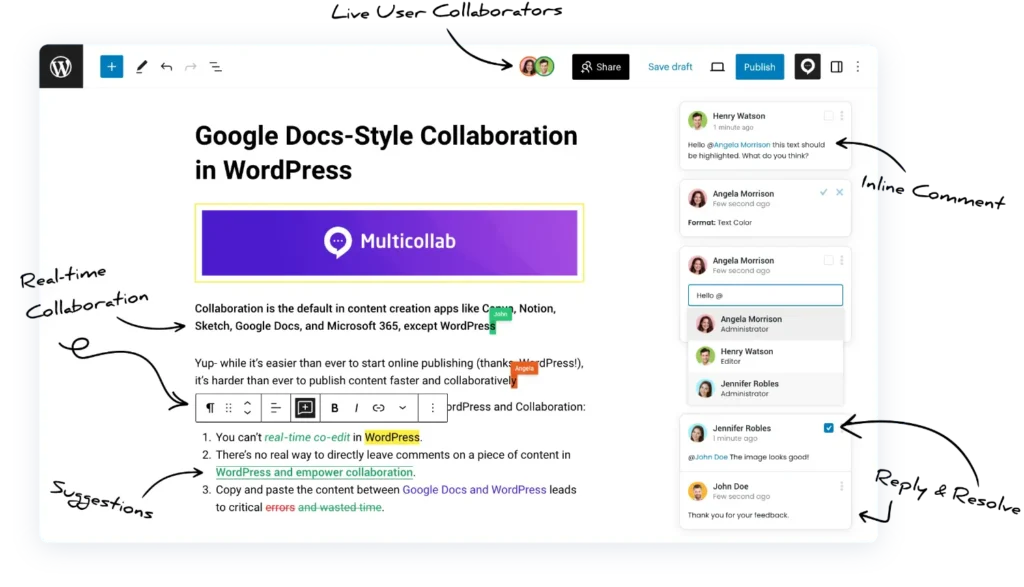
Multicollab maps directly onto the process and challenges above: Content Workflows give each stage an owner, the Editorial Checklist protects quality at scale, and inline comments keep feedback in one place. For a closer look, see our complete guide to collaborative editing.
Successfully managing your content team
Building the team is the start. Keeping it productive comes down to a few habits.
- Define success. Decide what good looks like, whether that is traffic, leads, or publishing consistency, and share those goals with the team.
- Document the process. A written workflow means new members ramp up faster and nothing depends on memory.
- Centralize the work. Keep drafts, feedback, and approvals in one place so nothing gets lost between tools. Working collaboratively inside WordPress removes the copy-paste handoffs entirely.
- Run regular check-ins. Short, consistent reviews keep work moving and surface blockers early.
- Protect quality as you scale. Use a style guide and a pre-publish checklist so growth does not dilute standards.
Conclusion
A strong content creation team is built on three things: clear roles, a repeatable process, and tools that keep everyone aligned. Get those right and the team produces consistent, high-quality content without the chaos of scattered feedback and missed handoffs.
If your team publishes on WordPress, Multicollab brings the whole process into the editor, with real-time collaboration, suggestion mode, content workflows, and an editorial checklist, so your writers, editors, and reviewers work together in one place.
So, why wait? Take the first step towards building a winning content creation team by leveraging Multicollab today.
Frequently Asked Questions
What roles does a content creation team need?
A core content team includes a content strategist, writers, editors, an SEO specialist, and a designer. As the team grows, a content manager coordinates the workflow and a subject matter expert may review for accuracy. Small teams often combine several of these roles into one person.
How big should a content creation team be?
It depends on output and budget. A small blog may run with one or two multi-role people, while a high-volume publisher needs dedicated strategists, writers, editors, and designers. Start with the roles your content most depends on, usually a writer and an editor, and add specialists as volume grows.
Should I build an in-house content team or outsource?
In-house teams give you more control, brand consistency, and faster iteration, but cost more and take time to hire. Outsourcing to freelancers or an agency scales quickly and suits variable workloads. Many teams use a hybrid: an in-house core for strategy and editing, with freelance writers for volume.
What tools does a content creation team need?
At minimum, a content team needs a planning tool, a writing and collaboration tool, and an SEO tool. For WordPress teams, Multicollab handles the collaboration layer, with inline comments, suggestion mode, real-time co-editing, and approval workflows inside the editor.
How do you manage a content creation team effectively?
Define clear roles, set a documented content process, and give the team a shared workspace so feedback and approvals do not get lost. Regular check-ins and clear deadlines keep work moving, and a collaboration tool keeps everyone aligned in one place.
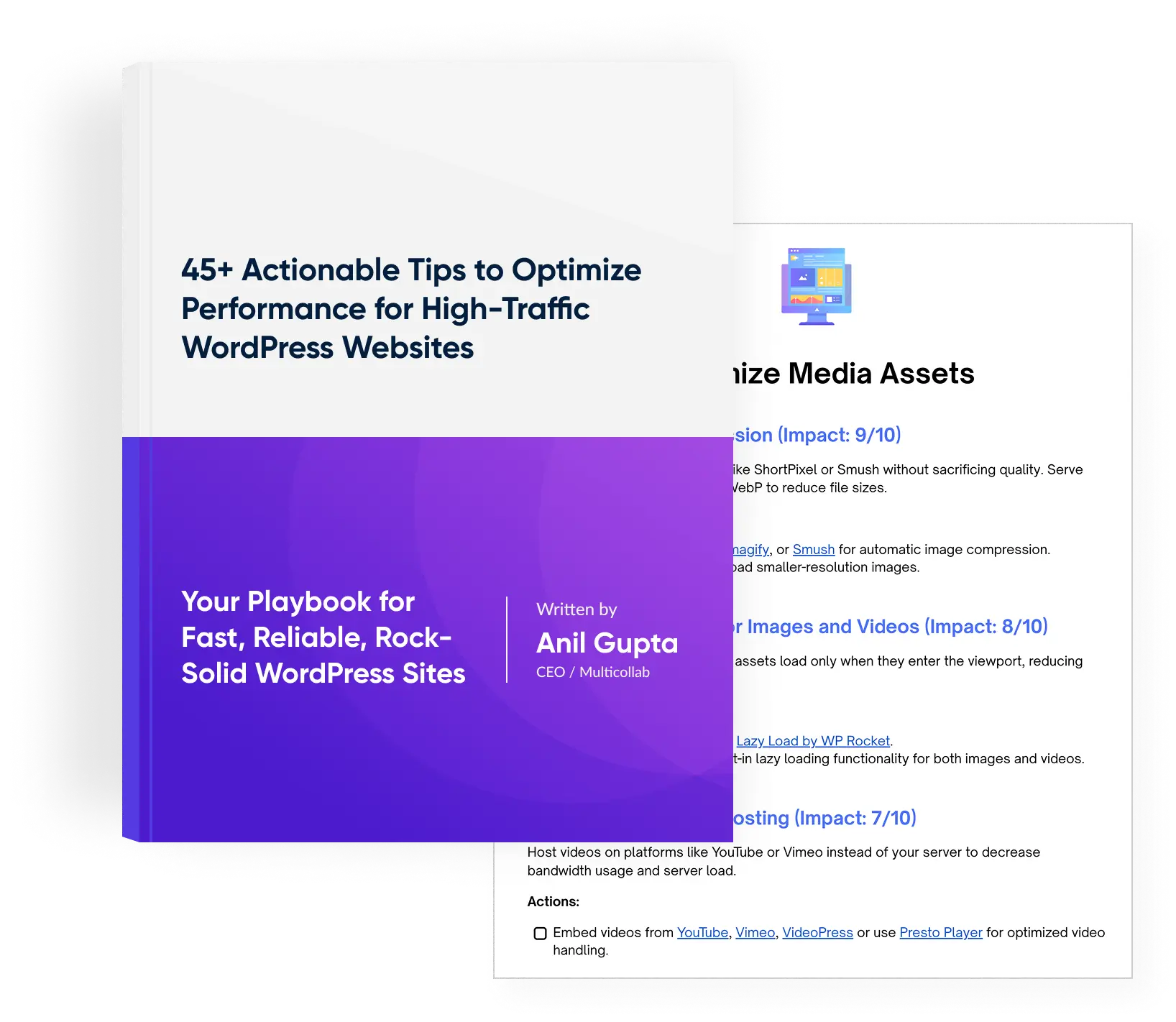
Download a Free Actionable Guide: 45+ Actionable Tips to Optimize Performance for High-Traffic WordPress Websites
Performance Optimization Techniques: Speed up your site with caching, image compression, and code minification.
Hosting and Scalability Suggestions: Learn to choose the right hosting solutions and scale efficiently.
Security and Protection Guidelines: Safeguard your site from DDoS attacks, malware, and performance threats.
Content and Plugin Management Tips: Optimize your database, plugins, and themes for peak performance.