
Table of Contents
Key Takeaways
- WordPress 7.0 is the most workflow-relevant release in years. Not because of one headline feature, but because several updates across AI, revisions, editing controls, and admin navigation directly affect how editorial teams work day to day.
- Visual revisions are a genuine win for editors, replacing raw HTML diffs with a color-coded, timeline-based view (green = added, red = removed, yellow = modified) that anyone on the team can read without technical knowledge.
- WordPress is building for teams, not just individuals. Content-only editing mode, block visibility controls, and the expanded command palette all reflect a platform that is starting to think seriously about role-based workflows and multi-person publishing operations.
- Real-time collaboration was pulled from 7.0, citing race conditions, server load, and memory instability. No official timeline exists for its return, and independent analysis suggests a rebuilt implementation is unlikely before 2027.
- The WP AI Client and Connectors API standardise how AI tools connect to WordPress, meaning the publishing tools editorial teams use are likely to get significantly smarter over the next several release cycles.
Most WordPress releases do not change how editorial teams work. They improve performance, add new blocks, patch security issues. Useful, but invisible to anyone focused on getting content out the door.
WordPress 7.0 “Armstrong” is different.
This is the first major version since 2022, and for the first time in a long time, a significant chunk of what shipped is directly relevant to the people who write, edit, review, and publish content on WordPress every day. Not just developers. Not just agencies. Editorial teams.
Here is every feature in WordPress 7.0 that touches your publishing workflow, what it actually does, and what it means for how your team works.
1. AI Is Now Part of the WordPress Infrastructure. Your Workflow Will Feel It Soon
Everyone expected WordPress 7.0 to ship some kind of AI writing assistant. It did not. What it shipped instead is far more significant for the long term.
The new WP AI Client API and Connector interface, found under Settings > Connectors, lets you connect AI providers like OpenAI, Anthropic, or Google (Gemini) directly into your WordPress site at the infrastructure level. WordPress is not picking a favourite AI tool. It is building a standardised layer so any AI tool can plug into WordPress natively.
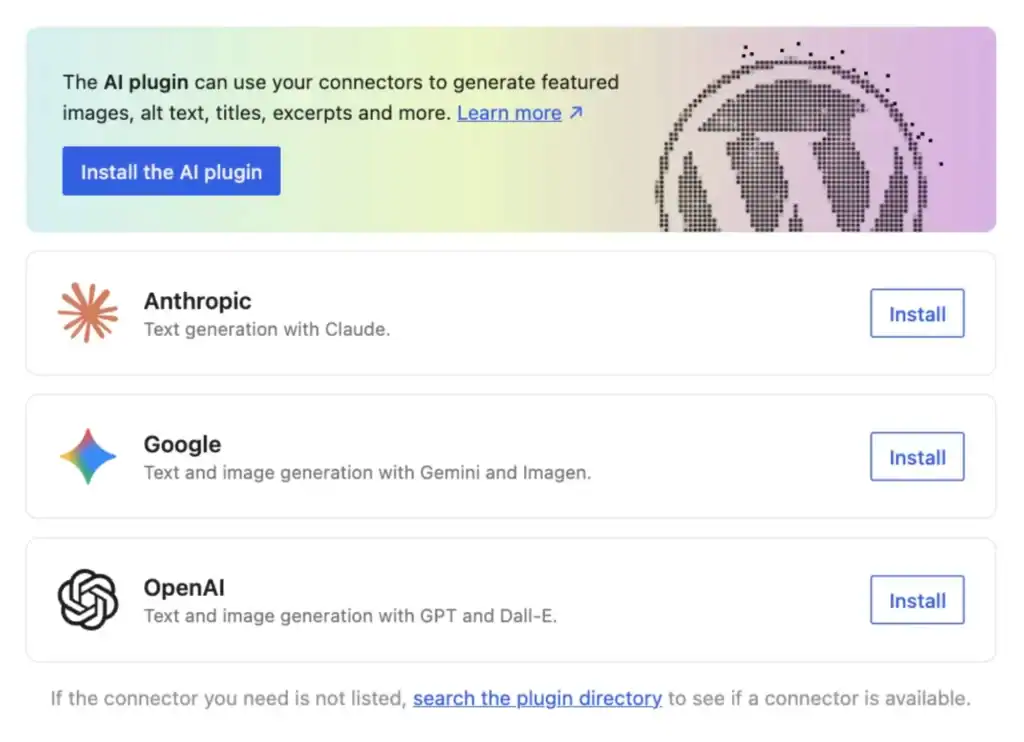
For editorial teams, this matters more than it might seem right now. It means the next generation of WordPress publishing tools, content rewriting, SEO assistance, editorial suggestions, will be built on a shared, stable foundation rather than fragmented third-party integrations.
Your workflow may not change tomorrow because of this. But the tools you use to manage content in WordPress are about to get significantly smarter, and this release is what makes that possible.
2. Visual Revisions: Editors Can Finally See What Changed Without Reading Code
If you manage content on a team, you have almost certainly experienced this: you open a post, something looks different, and you have no clean way to figure out what changed, when, or who made the edit. The old revision system required reading raw HTML diffs, which is not a reasonable ask for writers or editors.
WordPress 7.0 fixes this properly. Revisions are now fully visual. You get a timeline slider, color-coded overlays showing exactly what was added (green), removed (red), or modified (yellow), and a preview that mirrors how the post actually looks on the front end.
For high-volume editorial teams running multiple posts through review at the same time, this is a genuine and immediate time-saver. Editors can audit changes, compare drafts, and track what happened to a post without any technical knowledge required.
There is one thing worth noting, though. Visual revisions show you what happened to a post after the fact. They do not capture the process that led there. The feedback exchanged in Slack. The edit made directly in WordPress without any explanation. The client note that never made it out of an email.
That in-between process is still happening outside WordPress for most editorial teams. It is also where most content errors, miscommunications, and missed deadlines actually originate.
This is the gap Multicollab was built to close.
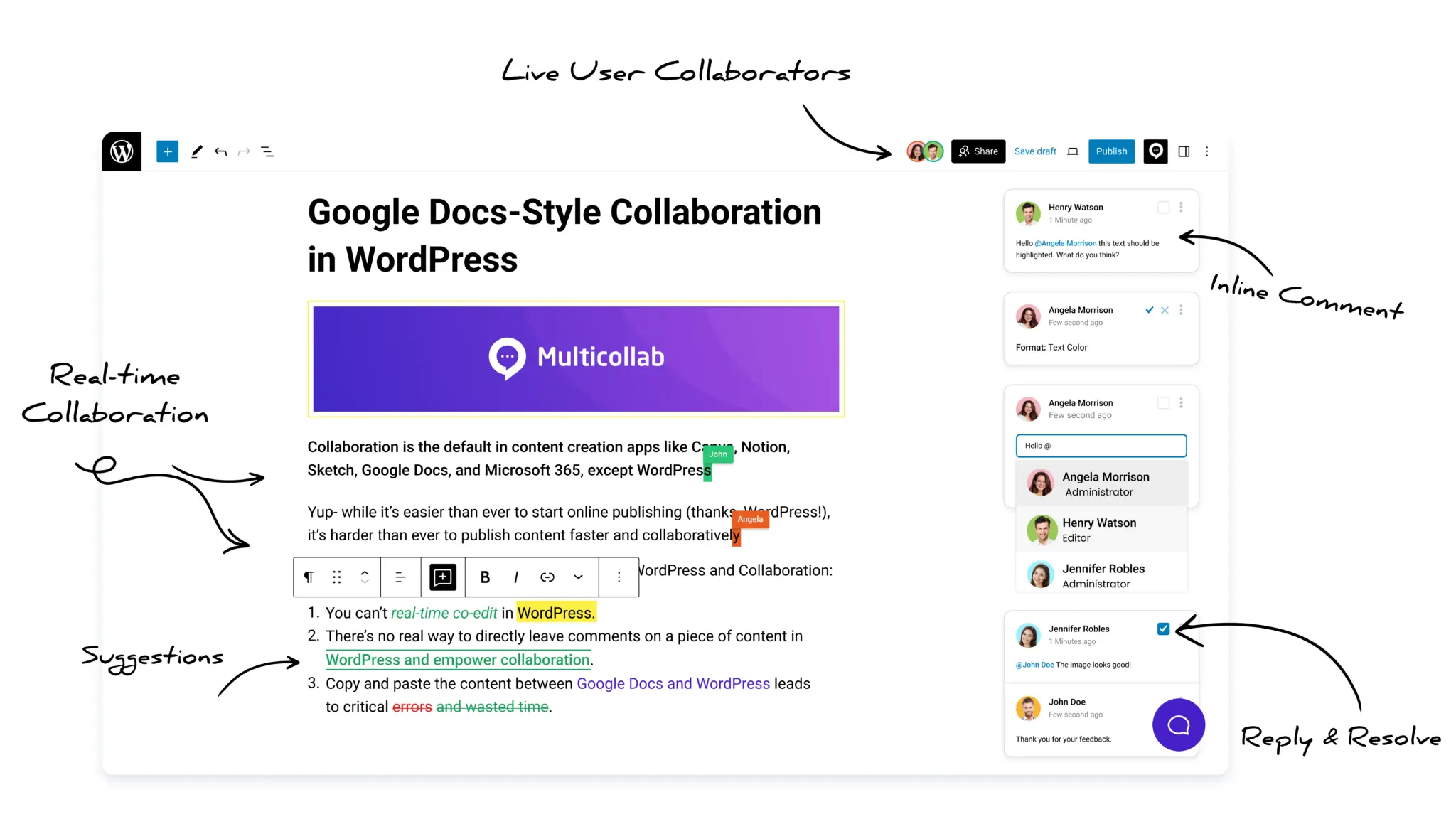
Inline comments tied to specific text, suggestion mode that lets editors propose rewrites without overwriting the original, and real-time co-editing across time zones all happen inside the WordPress editor. By the time you are looking at revision history, the process that got you there is already documented and clean.
WordPress 7.0 gives you a better record of what happened. Multicollab makes sure the process that leads there runs smoothly from the start.
3. Block Visibility Controls: Manage Responsive Content Without a Developer
WordPress 7.0 introduces device-specific visibility controls directly in the block toolbar and block inspector sidebar. You can now show or hide any block based on whether someone is on desktop, tablet, or mobile. Blocks with active visibility rules show a small device icon in the List View so you can see at a glance which blocks have restrictions applied.
For editorial teams managing content-heavy pages, landing pages, or campaign content, this means you can tailor what different audiences see without touching code or installing a plugin. A different call-to-action on mobile. A simplified layout for tablet. A full-featured version for desktop. All managed directly in the editor.
It is a small addition with meaningful implications for teams publishing content across different contexts and audiences.
4. The Command Palette Now Covers Your Entire Admin Area
The Command Palette has been expanded so it now works across the entire WordPress admin, not just the block editor. A new Cmd+K / Ctrl+K icon sits permanently in the upper admin bar, so you can open it with a click or a keyboard shortcut from any screen in the backend and jump directly to any post, page, template, or settings screen without navigating through menus.
For editorial managers and publishers who spend their working day moving between posts, contributors, categories, and settings, this is the kind of improvement that saves a few seconds at a time and adds up to something meaningful across a full week of work.
It is also a signal of something larger in this release. WordPress is increasingly thinking about the backend as a workspace for people who use it seriously every day, not just an administrative panel you visit occasionally.
5. DataViews: Managing Large Content Libraries Just Got Faster
WordPress 7.0 replaces the old admin list tables for posts, pages, and media with a new interface called DataViews. Where the old tables were static and rigid, DataViews lets you filter, sort, and browse content dynamically without page reloads.
For editorial teams managing large volumes of content, this is a practical improvement. Finding a specific post, filtering by author, or scanning content by status is noticeably faster. The interface also brings WordPress closer in feel to modern tools like Notion or Airtable, which most editorial teams are already using elsewhere.
It is not a dramatic change for smaller sites, but for publishers running high-volume content operations across multiple authors and post types, the difference in day-to-day admin speed is real.
6. Native Breadcrumbs and Icons: Fewer Plugins, Cleaner Workflow
Two new blocks in 7.0 deserve a mention for editorial teams specifically: a native Breadcrumbs block and an Icon block.
Breadcrumbs matter for SEO and content architecture, particularly for publishers running large content libraries with clear category structures. Previously, getting clean breadcrumbs meant relying on a third-party plugin. Now they are in core, handling archives, search results, and 404 pages automatically.
The Icon block lets you add and style SVG icons anywhere in a post or page without a plugin. It comes preloaded with 88 icons ready to use from the block inserter. Third-party icon library support (Font Awesome, Heroicons, and similar) is confirmed for WordPress 7.1.
The broader pattern here matters more than either individual feature. WordPress 7.0 continues a deliberate strategy of bringing commonly needed functionality into core, reducing the plugin dependencies that slow down editorial teams and create compatibility headaches over time.
7. Real-Time Collaboration Was Pulled. Here Is What That Means for Your Team Right Now
This one is important context for any editorial team that was watching the 7.0 roadmap closely.
Real-time collaborative editing was planned for this release. It was pulled before launch after the core team identified stability concerns around race conditions, server load, and memory issues under concurrent use. There is no committed timeline for when it returns.
The ambition is clear. WordPress wants native real-time collaboration built into the core platform. But building and stabilising that kind of infrastructure across a platform that powers over 40 percent of the internet takes time, and the core team made the right call in pulling it rather than shipping something unstable.
For editorial teams who need real-time co-editing, guest reviewer access, inline commenting, and suggestion mode today rather than in a future release, this is precisely where Multicollab fits. Not as a workaround, but as a purpose-built editorial collaboration layer for WordPress. These are live, stable features available now, not on a roadmap.
If your team is waiting for WordPress core to fully close the collaboration gap, independent analysis of the current roadmap suggests the wait could realistically extend into 2027, with WordPress 7.1 targeting August 2026 and no official commitment on when a rebuilt RTC implementation will be ready. The question is what your workflow looks like in the meantime.
What the WordPress 7.0 Editorial Workflow Actually Looks Like Now
Step back from the individual features and a clear direction emerges across this release.
WordPress is getting more serious about the people who use it to run real publishing operations. The AI infrastructure, the visual revision tools, the expanded command palette: these are not features for solo bloggers. They are features for teams.
The platform is moving in a meaningful direction. The gap between what WordPress core offers and what a full editorial workflow actually requires is narrowing with every release.
But for teams publishing at volume today, that gap still exists. The features that matter most for editorial operations (inline collaboration, tracked changes, approval workflows, guest access) are available now in tools built specifically for this purpose.
WordPress 7.0 raises the floor for editorial teams on WordPress. The question worth asking is whether your current workflow is set up to take full advantage of where the platform is heading.
Multicollab is a Google Docs-style collaboration plugin built for WordPress editorial teams. Inline comments, suggestion mode, real-time co-editing, and guest reviewer access, all inside the WordPress editor.
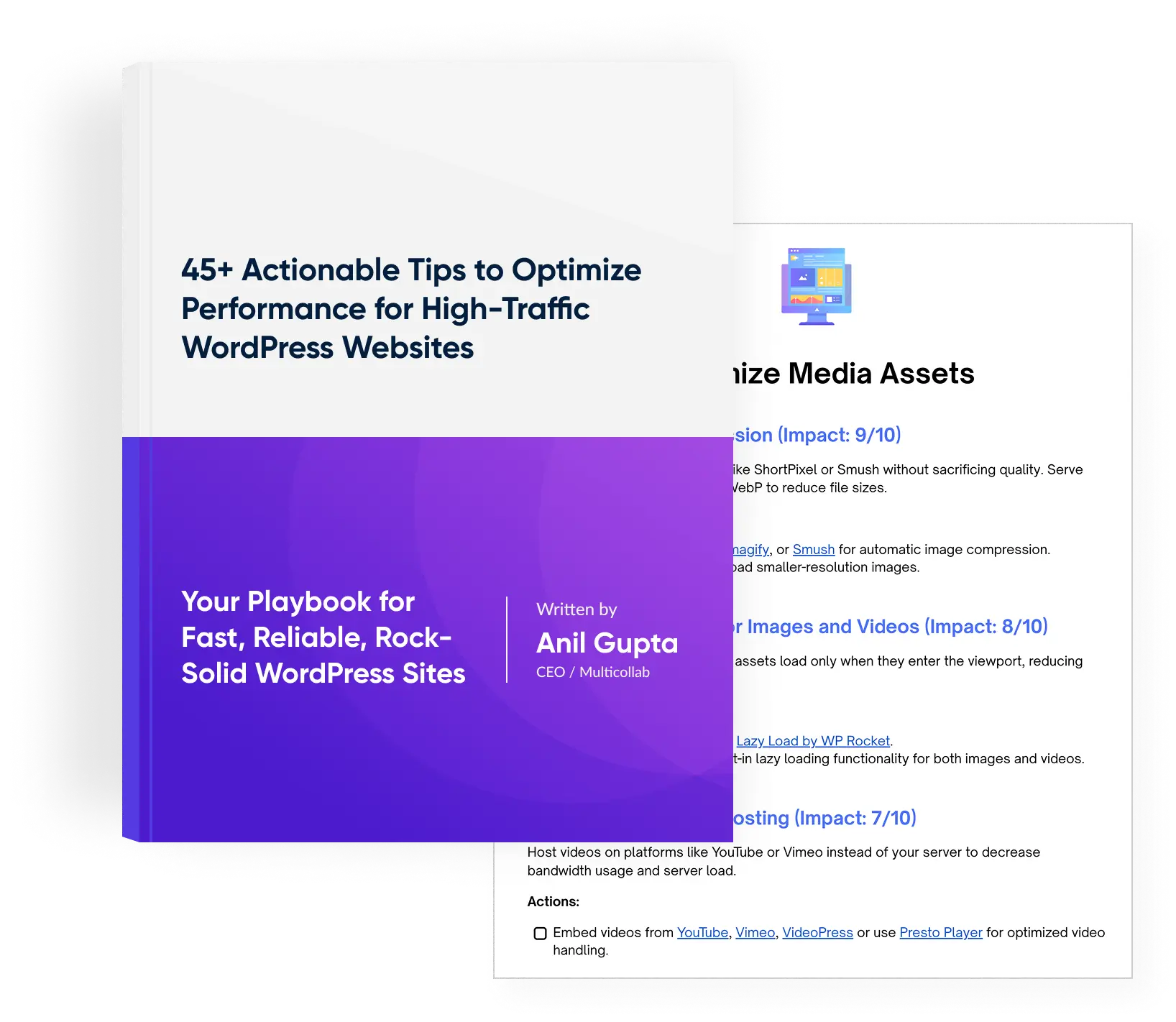
Download a Free Actionable Guide: 45+ Actionable Tips to Optimize Performance for High-Traffic WordPress Websites
Performance Optimization Techniques: Speed up your site with caching, image compression, and code minification.
Hosting and Scalability Suggestions: Learn to choose the right hosting solutions and scale efficiently.
Security and Protection Guidelines: Safeguard your site from DDoS attacks, malware, and performance threats.
Content and Plugin Management Tips: Optimize your database, plugins, and themes for peak performance.